
Manufacturer documents · Traceable inputs
RF PCB laminate datasheets are inputs to a controlled construction. This directory links to manufacturer documents and product portals so you can record the exact grade, revision and test conditions behind a design or quotation.
Use the exact manufacturer grade and retain the source document with the released stackup. Record the printed revision, method, frequency, conditioning, foil and dielectric construction wherever supplied. A document link confirms a reference source; it does not confirm inventory, a qualified factory process or a finished-board result.
Find a document by grade or manufacturer
14 references available. Type to filter this list.
| Material or reference | Source and manufacturing context | What to check before use |
|---|---|---|
| RO3000: RO3003 / RO3006 / RO3010 / RO3035 Rogers | Manufacturer document / portal Related PCB guide | Use the precise ceramic-filled PTFE grade; distinguish process and design data. |
| RT/duroid 5870 / 5880 Rogers | Manufacturer document / portal Related PCB guide | Separate the two grades and retain dielectric thickness and copper details. |
| RO4360G2 Rogers | Manufacturer document / portal Related PCB guide | Higher-permittivity hydrocarbon/ceramic thermoset; retain test-frequency and model context. |
| I-Tera MT40 RF/MW Isola | Manufacturer document / portal Related PCB guide | Use the selected construction and its paired dielectric values, not a family-wide minimum. |
| RO4000: RO4003C / RO4350B Rogers | Manufacturer document / portal Related PCB guide | Separate process and design Dk; check thickness exceptions and copper construction. |
| TC350 Plus Rogers | Manufacturer document / portal Related PCB guide | PTFE-based ceramic-filled woven glass; keep thermal and electrical test methods. |
| TC350 Rogers | Manufacturer document / portal Related PCB guide | Do not substitute TC350 Plus values; confirm current revision and construction. |
| TC600 Rogers | Manufacturer document / portal Related PCB guide | Keep the exact TC600 material and applicable processing document identified. |
| RO4500: RO4533 / RO4534 Rogers | Manufacturer document / portal Related PCB guide | Current linked revision 081326 covers RO4533 and RO4534. For RO4535, request the applicable grade document; do not assume this file covers it. |
| MEGTRON6 construction selection Panasonic | Manufacturer document / portal Related PCB guide | Product portal: choose exact grade, glass system and supporting PDF. |
| R-5775(N) Panasonic | Manufacturer document / portal Related PCB guide | Construction-specific reference; do not generalize to all MEGTRON6 glass systems. |
| S7136H Shengyi | Manufacturer document / portal Related PCB guide | Distinguish clamped-stripline, SPDR and design values; retain test conditions. |
| AGC grade / IPC slash-sheet reference AGC Multi Material | Manufacturer document / portal Related PCB guide | Grade reference is not a replacement for the exact grade datasheet or purchasing specification. |
| Pyralux TK material family Qnity | Manufacturer document / portal Related PCB guide | Product portal: distinguish flexible material construction from rigid RF laminates. |
No matching reference. Try the exact grade or manufacturer name, or contact engineering for the required document.
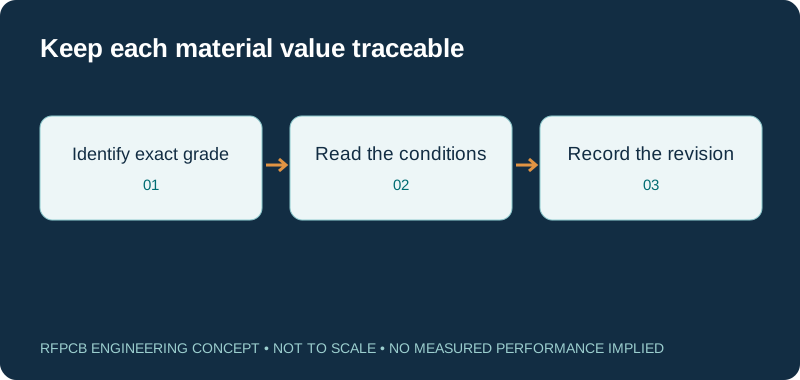
Start with the complete material identity
Copy the full grade designation from the drawing, including meaningful suffixes, rather than searching only for a manufacturer name. Related products may use different resin, reinforcement, filler or foil options. A series document can cover several materials; select the row that actually belongs to the proposed construction. If the name is unclear, resolve it with the design owner before requesting an equivalent.
The directory includes both direct PDFs and manufacturer product portals. A portal is useful when a grade has multiple construction documents or regional downloads. Follow the manufacturer’s navigation to the applicable document and keep the printed revision in your project record. A link that still opens is not proof that an older saved PDF remains the accepted purchasing specification.
Read the test conditions with every number
Dk and Df are not useful comparison values without context. Record the method, test frequency, conditioning and sample construction shown in the document. A clamped-stripline measurement and an SPDR result should not be silently combined into one supposedly universal material value. Where a sheet lists several conditions, preserve the association between each condition and its value.
Do not copy a typical value into a guaranteed acceptance limit unless the procurement specification establishes that requirement. Some values support material characterization rather than direct inspection of each delivered board. If a key condition is not supplied, label it as an unresolved input. The Dk / Df comparison resource helps organize the question, while the original manufacturer reference remains the source.
Separate process values from circuit-model inputs
A process Dk, a manufacturer’s design Dk and the effective permittivity used in a transmission-line model answer different questions. Use the intended value with the intended method. Effective permittivity also depends on the route geometry and field distribution, so it cannot be selected solely from a laminate brand.
When a model is calibrated against a representative coupon, preserve the coupon construction, measured dimensions and measurement boundary alongside the model input. Avoid changing the stored value merely to force agreement with one unexplained result. The useful record explains why the value was selected and which construction changes would require review. That makes future revisions easier to assess.
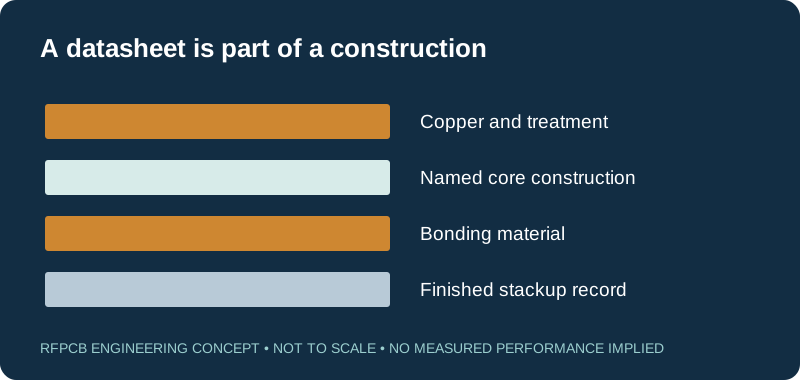
Keep foil, thickness and bonding documents together
The laminate datasheet is only part of a multilayer specification. Identify the available nominal core, copper foil and surface treatment, then include the compatible bonding system. Finished dielectric spacing depends on the approved construction and process; it is not always obtained by adding convenient catalog numbers. Do not use a rigid-core document as the sole description of a bonding layer.
For a mixed-material board, keep an explicit layer-by-layer schedule. Connect each controlled route to its reference plane, dielectric spacing and copper definition. The stackup library provides planning context, and the hybrid construction guide explains review questions. The released manufacturing drawing governs the actual build.
Use thermal and mechanical properties in the right direction
A reported thermal conductivity, CTE or modulus can have a direction and a method that matter to the calculation. Preserve X, Y and Z distinctions where stated, along with temperature interval and conditioning. A through-thickness reference is not automatically a complete model of heat spreading in a copper-rich assembly.
For an RF power board, identify component interfaces, copper distribution, vias, mounting and cooling boundaries separately. For a flexible construction, identify the neutral-axis model and actual layer arrangement. Material properties help frame these analyses; they do not by themselves predict a component junction temperature, permissible bend life or product reliability qualification.
Treat availability and substitutions as separate approvals
A publicly accessible manufacturer document is not an inventory feed. Before release, ask which grade, thickness, foil and sheet or panel allocation can be supplied for the order. Keep proposed alternatives visible. A supplier should not replace the named construction solely because a different material has a similar nominal Dk.
If the required current reference cannot be obtained, state that explicitly in the enquiry. Historical manufacturer-authored copies may help identify a product but need their source and revision labeled. Do not infer that a product is discontinued simply because a search did not locate it. Confirm the relevant procurement status directly and document the approved decision.
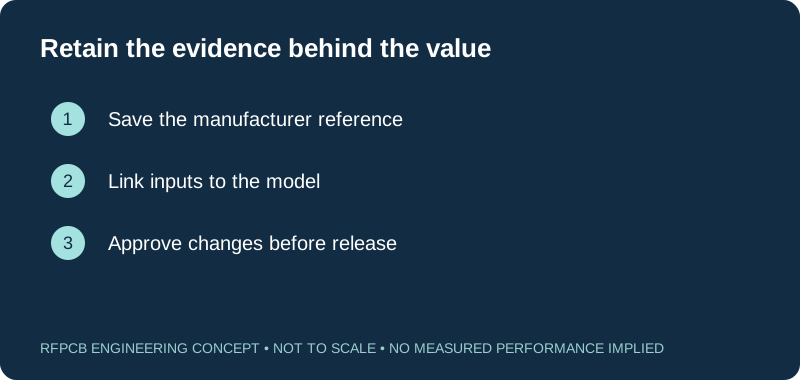
Prepare a useful document review request
Send the exact page or property table that raised the question, the intended operating band and the proposed stackup. Explain whether the uncertainty concerns model input, fabrication feasibility, procurement or acceptance evidence. That lets the reviewer answer the right question rather than returning a generic material brochure.
Use the checklist below to record what you have already collected. The checklist runs in the browser and does not authenticate a document or examine uploaded files. Your quotation package should still contain the drawing revision, quantity and requested inspection scope. For finished-board evidence, continue to the test report guide; it distinguishes material references from measurements made on an identified sample.
Maintain the reference when the design changes
Keep a short record of the document version used for each released construction. If a manufacturer revises a property table, review what changed before updating models or production drawings. The impact may be a clarification of a test method, a change in available construction or a parameter that matters to the circuit. A revised document date alone does not tell you which of these occurred.
When a link in this directory no longer resolves, use the named manufacturer portal or contact the engineering team with the exact grade. Do not substitute a similarly named PDF without checking it. This directory is a selection of useful references, not a complete catalog of every material or a promise that each listed option is currently stocked.
Prepare a reviewable engineering request
Check only the requirements you have actually documented. This list records readiness; it does not inspect your files or certify a design. Missing information is useful: identify it explicitly so the engineering review can resolve it before a production release.
These inputs are processed in your browser and are not submitted by this tool. The downloaded summary is a plain-text planning record. Use the secure quote form to send files; request an NDA first if your project requires one.
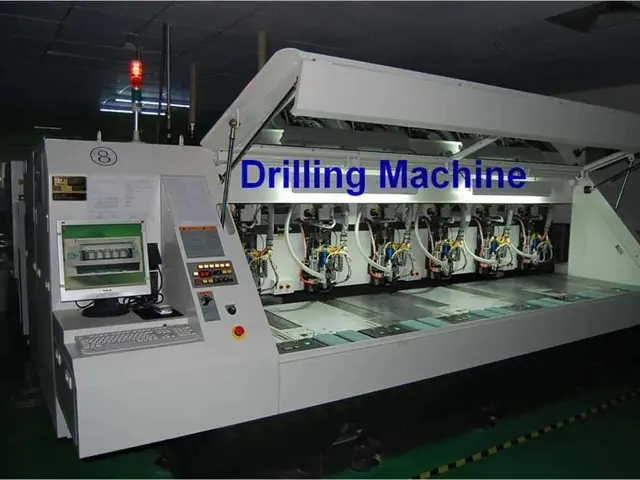
Manufacturing context
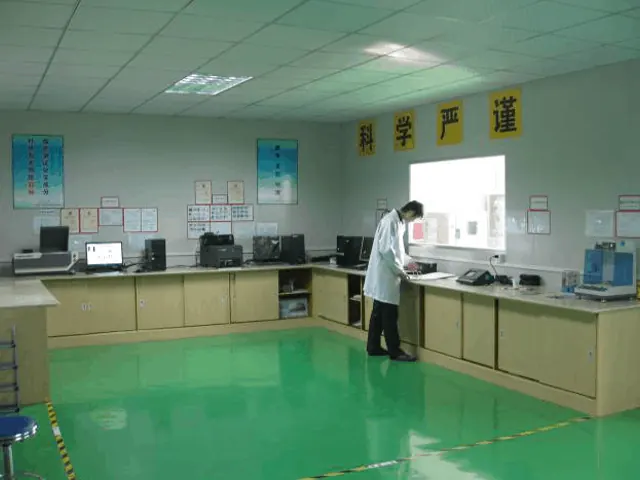
RFPCB and PCBSync share the manufacturing facility shown below. These process photographs illustrate the production environment; they are not evidence that a particular board, material grade or RF performance has been qualified. Request the documentation and inspection scope applicable to your project.

Questions before you continue
Are all links direct datasheet downloads?
No. Some links are manufacturer product portals with multiple grades or downloads. The directory labels the source type in its notes. Select the applicable document and retain its printed revision.
Does this directory confirm material stock?
No. Confirm the exact grade, thickness, foil and procurement schedule for your order. A public document is not an inventory statement.
Can I mix Dk values from different test methods?
Keep the methods and conditions separate. Use the value appropriate to the material characterization or circuit model, and review the actual construction before approving a substitution.
Can RFPCB help resolve a missing document?
Send the exact grade, the version you have and the engineering question. Request the applicable manufacturer or supplier reference and clarify the procurement and acceptance scope before release.
Continue your engineering review
Bring the decision into your manufacturing review
Send the exact material, construction and question you need to resolve. Include the drawing revision and requested evidence so the review can connect the technical decision to a defined quotation.
Sources and engineering scope
- Rogers RO4000 manufacturer datasheet
- Rogers TC350 Plus manufacturer datasheet
- Panasonic MEGTRON6 grade and construction portal
- Shengyi S7136H manufacturer technical datasheet
Manufacturer values apply to the identified grade, test method and construction. Engineering examples on this page are illustrative; they are not measured product results, inventory statements or certification claims. Manufacturer and product names belong to their respective owners. Keep the applicable datasheet revision with your approved manufacturing package.
Ready for a quotation?
Send your requirements for a material, stackup and manufacturing review. Price and schedule are confirmed for your project.