
RF MATERIAL ENGINEERING / DESIGN TO QUOTATION
Choose an RF laminate from the circuit requirements outward.
RF PCB material selection starts with the signal path, not a ranking of brand names. Operating frequency, route length, loss budget, phase tolerance, geometry and manufacturing constraints determine which construction deserves evaluation. This guide compares specific RF laminate examples, explains the evidence needed for a fair choice and provides interactive shortlisting, microstrip, stackup and cost tools. Use it to turn an early material preference into an explicit, reviewable specification for a production quotation.
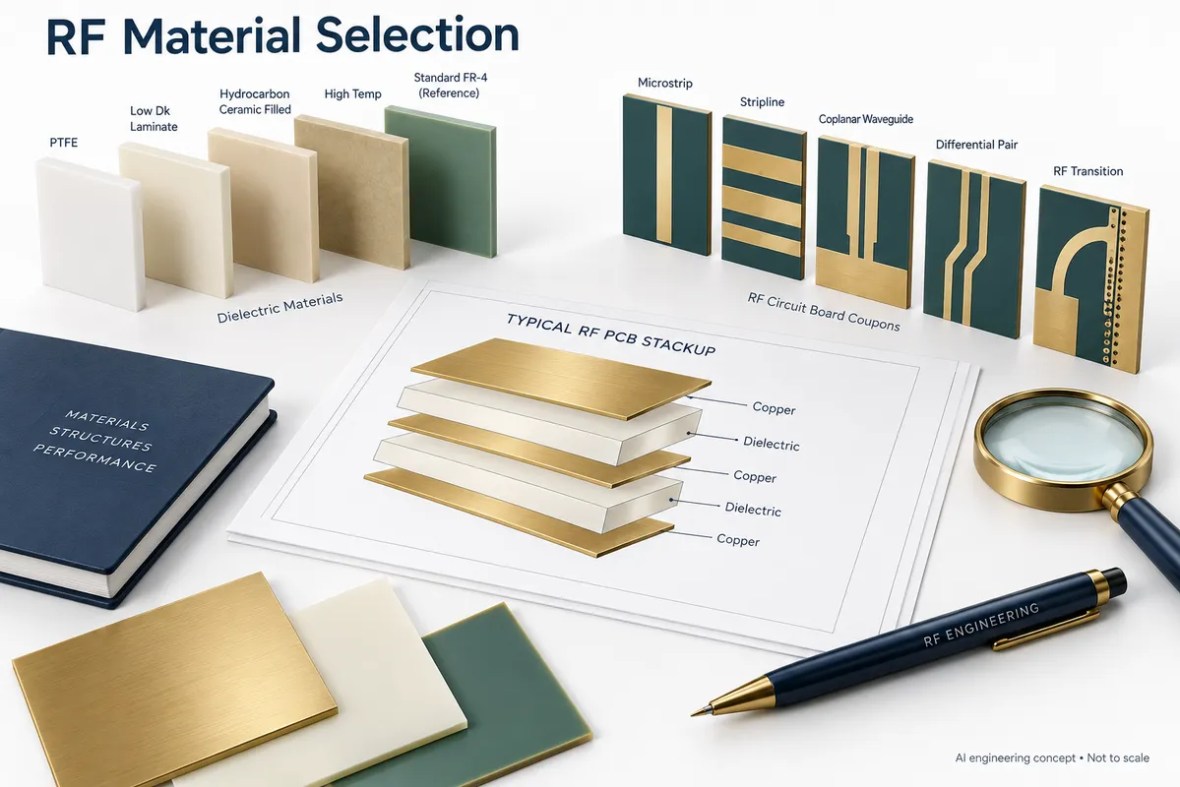
RF PCB Material Selection Guide: material data and model assumptions
| Property or grade | Published value / description | Conditions and interpretation |
|---|---|---|
| RO3003 | Ceramic-filled PTFE; process Dk 3.00 | Df 0.0010 at 10 GHz; design-source discrepancy needs review |
| RT/duroid 5880 | Glass-microfiber/PTFE; process Dk 2.20 | Df 0.0009 at 10 GHz |
| TLY-5 | Woven-glass/PTFE; nominal Dk 2.20 | Df 0.0009 at 10 GHz |
| AD255C | Reinforced PTFE; design Dk 2.60 | Df 0.0013 at 10 GHz; process Dk 2.55 |
| Astra MT77 | Thermoset; typical Dk 3.00 | Df 0.0017 at 10 GHz |
| F4BM265 | Woven-glass/PTFE; nominal Dk 2.65 | Df 0.0014 at 10 GHz; verify design model |
Values above are material references, not guaranteed finished-board performance. Consult the linked manufacturer document and confirm its revision for procurement. Source review: 24 September 2026.
Engineering decisions for RF PCB Material Selection Guide
1. Define the electrical requirement
Record the operating band and the length of every critical path. Define acceptable insertion loss, return loss, phase error and impedance tolerance. A small matching network and a long antenna feed can use the same frequency while placing very different demands on a laminate. Include launch and connector constraints early. Avoid a single frequency threshold that declares all FR-4 unacceptable or all PTFE mandatory; tie the choice to a quantified budget and the structures that consume it.
2. Compare complete constructions
Compare exact grade, dielectric thickness, copper, reinforcement and bonding system. A low Df number can be attractive, but rough copper or an unfavorable transition can dominate the measured path. Dk changes line width and electrical length, so a material substitution can change routing and component launch geometry. Read the test conditions beside every value. Where published process and design Dk differ, use the intended model and document the source instead of selecting whichever number makes the layout easiest.
3. Review the manufacturing path
Ask for a proposed layer-by-layer stackup before the routing is frozen. Review thickness tolerances, copper distribution, layer symmetry, hole treatment and interconnect reliability for that specific combination. A hybrid can place an RF material only where it is useful, but bonding and thermal behavior need a construction-level review. Confirm whether the requested foil and thickness are available for the required quantity. A catalog entry does not by itself establish a delivery date or an approved substitute.
4. Qualify and preserve the decision
Build the first article using representative production materials and features. Agree on impedance, loss, phase or antenna response tests according to product risk. Record reference planes, fixtures and conditions so later results remain comparable. Then freeze the manufacturer, grade, thickness, foil, bonding system and acceptance requirements in procurement documents. If a supplier proposes an alternative, review the affected calculations and tests. Preserving the complete decision is more valuable than retaining only a preferred brand name in the bill of materials.
For a review-ready evidence record, use the RF PCB construction qualification worksheet. It includes a worked loss allocation, a coupon plan and the information needed to approve a material construction.
Real RF board references
The following photographs are from the RFPCB site archive. They show manufactured RF structures and hybrid boards. They are visual manufacturing references, not proof that every pictured board uses the material discussed on this page.


RF PCB Material Selection Guide design and cost tools
Adjust assumptions, compare scenarios and build a clear enquiry. Calculations run in your browser. Grade presets only change the Dk input; they do not set material prices, certify a construction or select a manufacturing process.
Filter candidate constructions
Broad family and nominal Dk filter. No automatic qualification.
RF PCB Material Selection Guide budget & panel calculator
Editable example assumptions. USD. Not a factory price list.
Microstrip impedance & target-width solver
Editable grade presets. Confirm the design model; dimensions in millimetres.
Nominal stackup thickness planner
Separate RF dielectric, other dielectrics and copper.
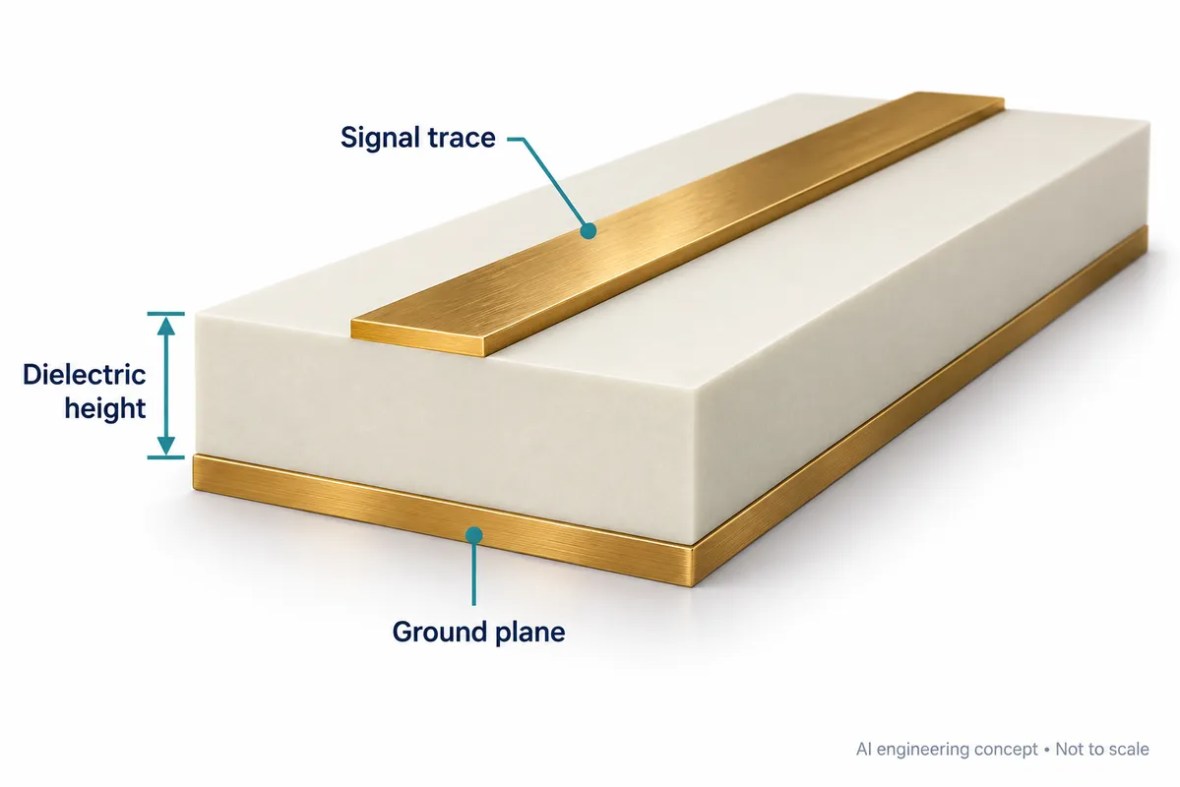
Design workflow: from Dk to a manufacturable line
Begin with the distance from the RF trace to its reference plane, not the total finished-board thickness. Enter that dielectric height in millimetres and choose the dielectric constant appropriate to the confirmed material model. In target mode, the calculator solves a width for the requested impedance. In analysis mode, it estimates impedance from a width you enter. Change one assumption at a time to understand which dimensions are sensitive before committing the layout.
The solver uses a zero-copper-thickness Hammerstad–Jensen quasi-static microstrip approximation. It represents an isolated, uncoated trace over a continuous ground plane. It does not include solder mask, finite copper thickness, roughness, frequency dispersion, neighboring traces, coplanar grounds, via fences or connector launches. Frequency changes the wavelength output, while this model’s impedance remains quasi-static. A production field solver and a fabricator-approved stackup are needed for final controlled-impedance dimensions.
Use the delay and quarter-wavelength outputs as early electrical-length estimates. They do not replace a filter or antenna simulation. Resonant structures also respond to discontinuities, fringing fields, enclosure proximity and fabrication tolerance. For a sensitivity check, vary dielectric height and Dk over the confirmed tolerances and compare the resulting trace widths. Keep those ranges with the drawing instead of reporting a calculated width with unrealistic manufacturing precision.
Plan the stackup as a complete construction
The thickness planner adds the total selected RF dielectric, all other pressed dielectrics and equal copper thickness for each layer. Enter every core, bondply and prepreg contribution exactly once. For two copper layers, the model uses only the RF dielectric and copper. The output excludes solder mask and surface finish. It is a nominal arithmetic budget, not a prediction of resin flow, press shrinkage or an approved multilayer construction.
Before fabrication, ask for the actual layer sequence, material identifiers, pressed dielectric thicknesses, copper weights and tolerances. Review whether reference planes remain continuous beneath critical routes. Identify any blind, buried or through-hole transitions that need separate electrical or reliability evaluation. A total thickness that fits a connector does not by itself establish impedance, bond compatibility or layer balance. Review those requirements together with the proposed manufacturing process.
Cost and quotation: expose the assumptions
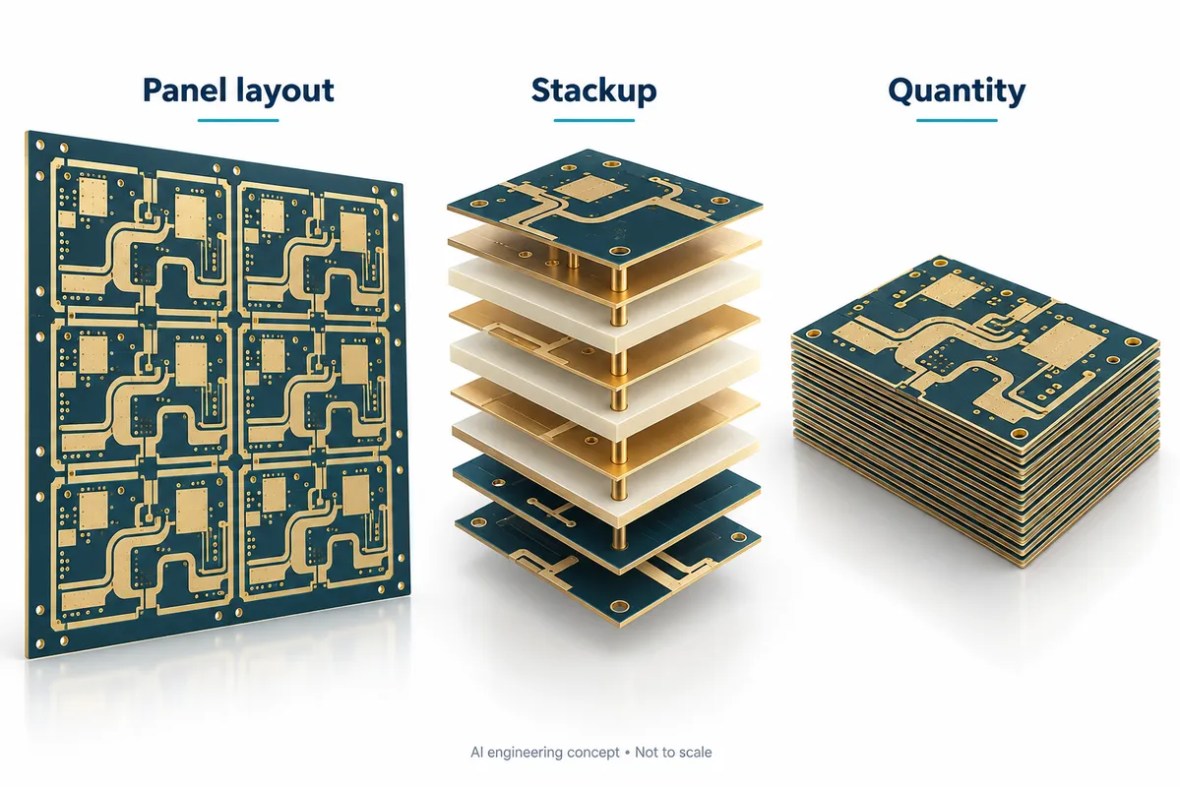
A useful early budget shows what drives the number. Board outline, usable panel size, spacing, ordered quantity and expected yield determine how many full panels the example allocates. The calculator compares a uniform zero-degree layout with a uniform ninety-degree layout and uses the better result. It does not perform mixed-orientation nesting, optimize irregular outlines or reserve tooling rails and coupons automatically. Enter the usable area after those manufacturing reservations.
Material cost is the amount allocated to all laminate in one usable panel. Fabrication cost applies to every board position started on the allocated panels, while testing cost applies to the ordered quantity. Setup is added once. These assumptions deliberately remain visible and editable. The displayed dollar figure is a scenario based on your inputs, not a live supplier price, availability statement or purchasing commitment. Shipping, taxes and assembly are excluded.
For a fair quotation comparison, hold the material grade, foil, stackup, finish, quantity, tolerances and tests constant. A low unit price may cover a different inspection plan or construction. Record any acceptable alternatives explicitly and request approval before substitution. Compare prototype and production quantities separately because setup allocation and panel utilization can change the effective unit cost. Enter confirmed supplier rates when available and rebuild the summary after changing the design.
What a complete RFQ should include
Send the fabrication data, NC drill, board outline and revision together with a layer-by-layer stackup. Include the manufacturer and exact laminate grade, dielectric thickness and tolerance, copper type, finished copper, finish and material substitution restrictions. Identify controlled-impedance nets and target tolerances. State whether the project also needs insertion loss, return loss, phase or other RF acceptance measurements, because these are separate deliverables with their own fixtures and coupons.
Specify the order quantity, panel preferences, delivery destination and required schedule. If the design is still evolving, identify which dimensions or materials remain open to engineering review. The summary button below collects valid calculator scenarios into editable text; it does not transmit your design or submit an order. Review that text, attach the actual manufacturing package and use the quotation form for a build-specific response.
RF PCB Material Selection Guide questions
What is the best RF PCB material?
There is no universal winner. Choose against loss, phase, geometry, thermal, manufacturing and cost requirements, then qualify the exact construction.
Can the shortlist replace an engineering review?
No. It filters examples by broad material family and nominal Dk. It does not model thermal behavior, supply, total loss, flame rating or manufacturing suitability.
Is the online cost result a formal quotation?
No. It uses editable illustrative rates and a simplified panel model. A formal quotation requires the fabrication files, exact material construction, testing, quantity and delivery requirements.
Can I manufacture the calculated trace width directly?
Use it as an initial estimate. The model excludes finite copper thickness, mask and other production details. Agree final dimensions and tolerance with the fabricator using the approved stackup and appropriate field solver.
Compare related material choices
Continue the selection using the pages most relevant to the alternative construction: Rogers RO3003 PCB, RT/duroid 5880 PCB, Taconic PCB, Arlon PCB, Isola PCB, Wangling F4B PCB, PTFE / Teflon PCB. For thermoset RF alternatives, review RO4003C PCB and RO4350B PCB with their own design data and manufacturing requirements.
Material sources and scope
Manufacturer references support the material facts above. Engineering guidance and calculator scenarios are preliminary aids. No stock, lead time, certification, substitution or RF acceptance result is implied by the illustrations or example calculations.
Turn your RF PCB Material Selection Guide design into a clear RFQ
Use the button below to collect the current valid calculator scenarios into editable enquiry text. Attach your manufacturing files separately and review the assumptions before submitting. No calculator input is sent by this button.
- Gerber or agreed fabrication data, NC drill, outline and revision.
- Board quantity, panel requirements and delivery destination.
- Layer-by-layer stackup, material restrictions and copper requirements.
- Target impedance, tolerances, surface finish and test expectations.
- Required lead time and any acceptable engineering alternatives.
Ready for a quotation?
Send your requirements for a material, stackup and manufacturing review. Price and schedule are confirmed for your project.