
RFPCB blog · From experiment to measured evidence
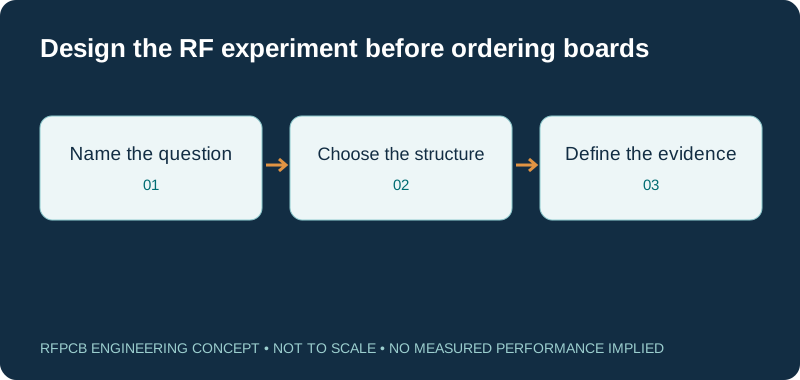
An RF prototype board should answer a defined engineering question. A component evaluation board, a test fixture and a custom prototype PCB serve different purposes. Choose the format around the circuit, its return paths and the measurement you need. Then document the construction and test boundaries so the result can guide the next revision.
For layout-sensitive RF work, use a structure with defined signal geometry, grounding, launches and a suitable stackup. A reusable solderless breadboard does not provide a general microwave operating specification. The usable band of a prototype depends on the entire circuit and measurement setup; establish it for the specific design instead of assuming a universal maximum frequency.
Which RF prototype format answers your question?
| Prototype format | Useful starting question | What still needs verification |
|---|---|---|
| Component evaluation board | Can this device meet the required function in its documented circuit? | Your layout, stackup, supply, enclosure and interface differences |
| RF test fixture or coupon | How does a component, launch or interconnect behave at defined ports? | Fixture contribution, calibration, reference planes and repeatability |
| Custom prototype PCB | Does the intended arrangement meet the system requirement? | Manufacturing variation, assembly, operating modes and acceptance scope |
| Copper-clad experimental circuit | Can a carefully built analog arrangement test a limited concept? | Parasitics, repeatable geometry and relevance to the eventual PCB |
| General solderless breadboard | Can a suitable low-frequency support circuit be checked? | It does not establish controlled RF interconnects or microwave performance |
| Production-representative pilot | Can the approved construction and process repeat the result? | Sample plan, traceability, change control and agreed release criteria |
RF route loss budget worksheet
Total = length × entered attenuation + total launch/transition allocation + other passive loss. Frequency labels the scenario; it does not synthesize an attenuation model. Use comparable data at that frequency and avoid counting the same feature twice. Adding scalar dB terms is a matched or weak-reflection planning approximation; use cascaded S-parameters for mismatched structures. Default values are illustrative.
Start with one question the prototype must answer
A prototype order becomes more useful when the team can complete the sentence “this build will tell us whether…”. The question might concern a connector launch, a matching network, an antenna feed or interference from nearby switching circuitry. Decide what quantity will be observed, how it will be measured and what result changes the next design decision. A board that merely powers up may not resolve the original RF uncertainty.
Write a short experiment brief before layout begins. Include the intended operating band, circuit state, signal level, supply conditions and acceptance threshold. Identify which parts of the final product must be represented now and which can wait. If the enclosure is outside the first experiment, record that boundary. The brief prevents a convenient benchtop demonstration from being interpreted later as evidence for every operating mode or mechanical configuration of the product.
Separate evaluation boards, fixtures and custom PCBs
A manufacturer's evaluation board provides a documented starting circuit around a particular component. An RF fixture provides interfaces for measuring a device or structure. A custom prototype reproduces the arrangement you intend to develop. A single assembly can play more than one role, but write down which role its results support. The component's published behavior on an evaluation board does not automatically transfer to different routing, grounding or assembly.
For example, the ADRF5345 evaluation-board guide documents transmission-line geometry, grounding and a specific multilayer stackup. Those details are part of that example's engineering context. When adapting a reference, make a difference list covering the electrical interfaces, layout and mechanical environment. Review the differences before deciding which existing results remain relevant and which functions your own prototype must measure. This is more useful than copying only the schematic and assuming the rest is incidental.
Why a solderless breadboard is not a microwave specification
Plug-in breadboards are convenient for circuits whose requirements tolerate their uncontrolled connections. That convenience does not make their contact strips, jumper wires and return paths suitable substitutes for a characterized RF layout. Analog Devices' MT-100 prototyping tutorial explains how parasitic resistance, inductance and capacitance constrain high-performance analog prototyping. It also emphasizes the importance of grounding and representative construction.
Do not assign an entire class of reusable boards a GHz operating range without a defined structure and evidence. If a support circuit can be checked separately on a breadboard, keep the claim limited to that check. Build the RF experiment using appropriate controlled interconnects and interfaces. A hand-built copper-clad circuit can answer a carefully bounded question, but its result still needs a documented geometry and test setup. Reusability is a mechanical convenience; it is not an RF qualification.
Design the return path with the signal path
The RF current loop includes the reference conductor. A short signal trace can still have a poor return path if its reference plane contains a split or large detour. TI's RF PCB Simulation Cookbook examines ground-plane quality and illustrates how cuts can alter return-current behavior. Its example results belong to that analyzed layout, rather than serving as universal limits for every board.
Review the complete loop from each interface through the device and back to its reference. Mark ground connections, layer changes and nearby interruptions on the layout. Keep antenna-specific keepouts governed by the antenna design rather than filling them blindly with copper. If the prototype changes layer count or component placement, revisit the reference-plane arrangement. A practical review output is an annotated drawing of the sensitive paths and unresolved transitions, ready for simulation or measurement where the geometry needs further evidence.
Choose the stackup around the experiment
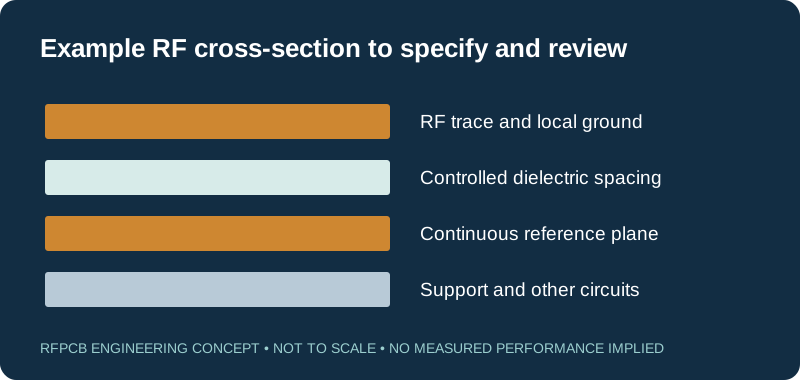
Select a candidate dielectric, spacing and copper construction before finalizing the RF trace geometry. Identify whether the experiment uses microstrip, grounded coplanar waveguide or another structure, and document the model assumptions. TI's reference-layout guidance connects trace transfer to dielectric properties and the distance to the ground plane. A copied width alone does not define the same interconnect on a different board.
For a material question, compare controlled candidates; for an assembly or functional question, avoid changing material unnecessarily during the same experiment. The Rogers versus FR4 guide explains how to define that separate selection decision. Ask for the proposed manufactured stackup and identify which dimensions need agreement. Treat a supplier suggestion as a proposal to review, then link the approved construction to the prototype revision. Otherwise the measured board and the simulated model may represent different structures.
Treat connector launches as part of the design
A connector's catalog rating does not qualify its transition into your PCB. The launch includes the connector, pad, reference connection, dielectric geometry and nearby metal. Decide whether you need an edge launch, a board-mounted interface or a probe landing, then check its documented mounting requirements against the actual construction. Reserve physical access for mating, tightening, probing and inspection before the board outline is frozen.
If launch behavior is a major uncertainty, add a representative fixture or coupon to the experiment. Keep its revision and dimensions tied to the main board, and decide how its measurement will be used. A good standalone launch coupon cannot prove every routing transition on the product. Conversely, a poor connector-to-connector result should trigger investigation of the interface before all loss is attributed to the laminate. Record the assembled condition, including any repair, because an altered launch is a different test structure.
Use a loss budget to make assumptions visible
The worksheet on this page adds entered distributed attenuation, total launch and transition allocation, and other passive losses. Frequency labels the scenario; changing that label does not create a new material-loss model. Supply data appropriate to the chosen frequency and construction. Keep the boundaries clear so a measured connector-to-connector value is not combined with the same connector loss a second time.
For an illustrative matched-path plan, a 50 mm route at 0.01 dB/mm contributes 0.50 dB. Add 0.30 dB for all launches and transitions and 0.20 dB for other passive elements: the total is 1.00 dB. Against a 1.50 dB target, the arithmetic reserve is 0.50 dB. These are example inputs, not factory measurements or a prediction for any laminate. Strong reflections require a more complete analysis using cascaded network data, rather than relying on scalar dB addition.
Define calibration and the measurement reference planes
A measurement can include the device, fixture and connecting structures. State where the reported result begins and ends. Keysight's de-embedding guidance explains removing characterized fixture effects to move the measurement to the intended device plane. A mathematical correction needs a defensible fixture description; it does not turn an unspecified adapter chain into a known measurement.
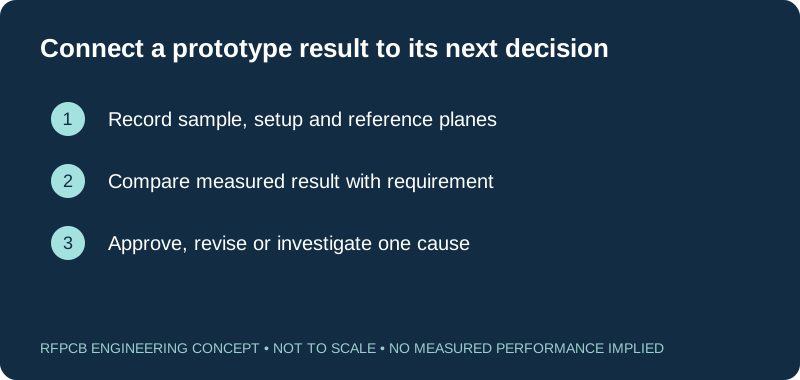
Before testing, record the calibration approach, ports, cables, fixture identity, sweep and operating conditions. Decide whether raw and corrected results will both be retained. Check connection repeatability and the instrument's usable measurement range for the intended signal levels. If a result sits close to an acceptance boundary, resolve the measurement uncertainty and agreed decision rule instead of rounding it into compliance. Use the RF test report guide to organize the evidence and keep measured scope separate from inference.
Bring up the board in stages and keep a change log
Plan accessible checks for the power and control functions before requesting RF measurements. Verify assembly identity and component orientation, then apply the device-specific supply and startup procedure. Record current, configuration and operating mode alongside the RF result. A changed register setting, cable connection or populated component can explain a difference between two runs, so sample identification alone is not enough to make the experiment repeatable.
When a result misses the target, choose the next measurement to distinguish plausible causes. Avoid changing the stackup, matching components and launch at once unless the experiment is explicitly about that complete revision. Photograph relevant modifications and update the schematic or assembly notes. For the next build, separate proven corrections from open hypotheses. This turns rework into usable design evidence and reduces the chance of ordering a new PCB that accidentally omits the change responsible for the improvement.
Order the prototype with its acceptance scope attached
Provide manufacturing data, the proposed stackup, board outline, hole details, assembly requirements and a clear revision. Identify any coupon, special launch geometry or test access that belongs in the delivered scope. Include the planned sample quantities and explain which inspections or measurements are requested. Do not assume that ordering an “RF prototype” includes VNA measurements, de-embedding or a particular report format; agree those deliverables explicitly.
Use the checklist below to capture prepared information and unresolved questions. The DFM preparation guide supports the fabrication review, while the test and measurement PCB guide develops fixture-specific considerations. After the results are reviewed, approve a revision, order a focused experiment or investigate an identified discrepancy. Production release is a separate decision based on the required repeatability and acceptance evidence, rather than an automatic consequence of one successful prototype.
Prepare a reviewable engineering request
Check only the requirements you have actually documented. This list records readiness; it does not inspect your files or certify a design. Missing information is useful: identify it explicitly so the engineering review can resolve it before a production release.
These inputs are processed in your browser and are not submitted by this tool. The downloaded summary is a plain-text planning record. Use the secure quote form to send files; request an NDA first if your project requires one.
Manufacturing context
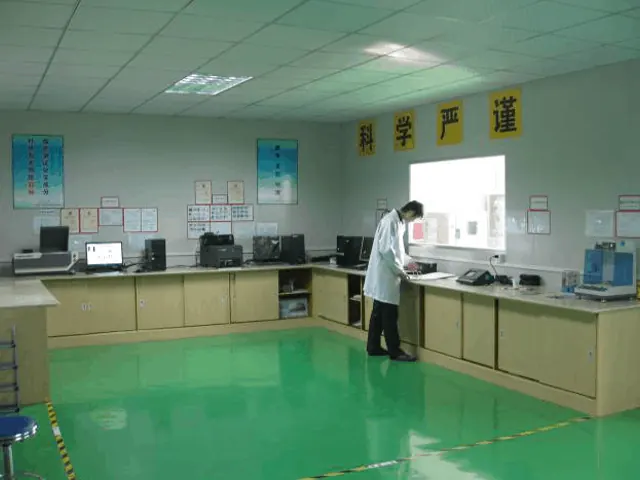
RFPCB and PCBSync share the manufacturing facility shown below. These process photographs illustrate the production environment; they are not evidence that a particular board, material grade or RF performance has been qualified. Request the documentation and inspection scope applicable to your project.


RF prototype board questions
Can a solderless breadboard be used for any RF experiment?
Its suitability depends on the limited circuit and measurement involved. It does not provide controlled transmission lines or a general microwave specification. For layout-sensitive RF performance, use a characterized structure with defined grounding, geometry and interfaces.
Does an evaluation board remove the need for a custom prototype?
It can establish a useful component baseline, but your product may change the stackup, layout, supplies, enclosure or interfaces. Identify those differences and test the functions that the evaluation-board evidence does not cover.
What is the maximum frequency of an RF prototype board?
There is no single value for the category. The usable band depends on the complete construction, devices, launches and measurement scope. Set and verify the intended operating band for the actual design rather than relying on a generic board label.
Does the loss worksheet replace VNA testing?
No. It is an arithmetic planning aid using your entered data. It does not derive attenuation from a laminate name, characterize mismatches or calibrate a fixture. Verify critical paths using an agreed model and measurement plan.
Continue your engineering review
Prepare an RF prototype for engineering review
Send the circuit purpose, operating band, stackup, manufacturing files and desired evidence. Identify open questions and any test structures so the prototype proposal can match the decision you need to make.
Sources and engineering scope
- Analog Devices: MT-100, Breadboarding and Prototyping Techniques
- Analog Devices: EVAL-ADRF5345 user guide, Rev. A, documented evaluation-board construction
- Texas Instruments: SWRA638, RF PCB Simulation Cookbook
- Texas Instruments: AN098, Layout Review Techniques for Low Power RF Designs
- Keysight: Removing Unwanted Effects from the Measurement
Manufacturer values apply to the identified grade, test method and construction. Engineering examples on this page are illustrative; they are not measured product results, inventory statements or certification claims. Manufacturer and product names belong to their respective owners. Keep the applicable datasheet revision with your approved manufacturing package.
Put this into production
Request a material, stackup and manufacturing review for your RF PCB project.