
Design directory · From requirements to release
RF PCB design resources connect circuit intent to a manufacturable, testable construction. Start with the decision currently blocking progress, then follow the relevant guide. This directory organizes the workflow without duplicating the detailed calculations and application-specific advice on each destination.
Define the RF requirement, choose a material and reference structure, review sensitive geometry and transitions, then agree manufacturing and test scope. Use the linked design resources to resolve each step. Keep provisional assumptions visible until the released drawing and accepted construction are aligned.
Choose the next design decision
| Decision | Resource | Expected output |
|---|---|---|
| What must the circuit achieve? | RF design guide | A circuit-specific requirement brief |
| Which dielectric construction fits? | Material selection | Named candidates with source conditions |
| How is the RF line modeled? | Impedance calculator | Geometry estimate within its model |
| What dominates attenuation? | RF loss guide | A path-level loss budget |
| Is the package ready for fabrication? | DFM checklist | Documented requirements and open questions |
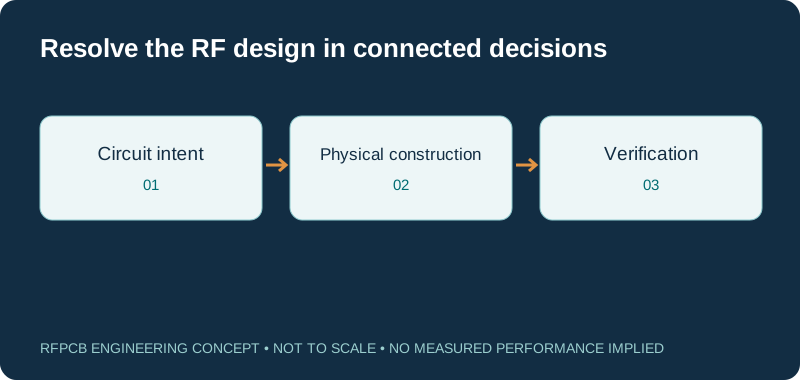
Turn circuit intent into measurable requirements
Use the RF PCB design guide to identify the signal paths and performance questions that matter. Record the operating band, impedance, loss, phase or response constraints as appropriate. Avoid starting with a material preference alone. A clear requirement gives later layout and manufacturing decisions a reason and makes prototype results easier to assess.
Choose material data that belongs to the construction
The material selection guide and Dk/Df reference table help compare named candidates. Preserve the test method, frequency, grade suffix and source revision. Record core, bonding and foil assumptions alongside the material choice. A family label can guide research, but it does not describe every dielectric region encountered by the RF fields.
Choose reference structures before detailed routing
Visit the stackup library to make layers and reference planes explicit, then review the proposed construction with the fabricator. Mark where a signal changes layer or crosses a different dielectric environment. Keep the intended return path visible. Educational layer concepts support discussion; they are not automatically approved stackups for every frequency and board geometry.
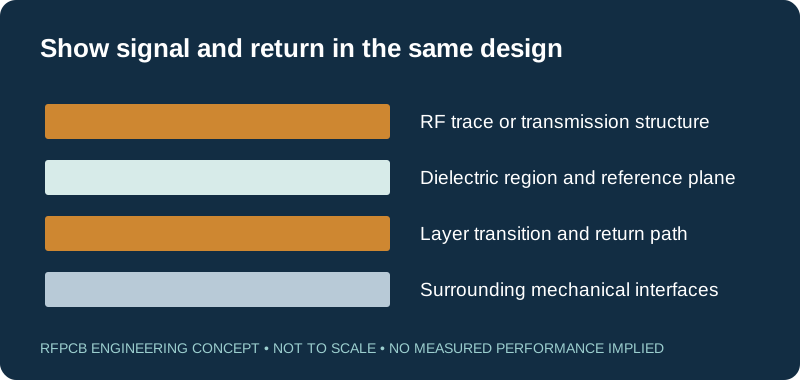
Use geometry tools within their stated models
The impedance calculator provides a starting point for its supported geometry. Check assumptions about copper, coating and field distribution before applying a result. For controlled features, continue to controlled-impedance PCB and specify the drawing tolerance and verification scope. A nominal calculation and a manufactured acceptance requirement are related but different records.
Review losses and transitions at the path level
Open the RF loss guide when attenuation is limiting the design. Separate long uniform routes from launches, vias and other discontinuities. For stub or cavity questions, follow cavity and back-drill review. Define the actual feature and measurement boundaries rather than assuming a material Df accounts for the entire signal path.
Apply the circuit-specific design context
Use filter and duplexer PCB for resonant structures, LNA PCB for noise-sensitive receive paths, and frequency synthesizers for clock-generation questions. Choose the page closest to the sensitive function. Its examples help frame a review without making every guideline a universal rule for unrelated circuits.
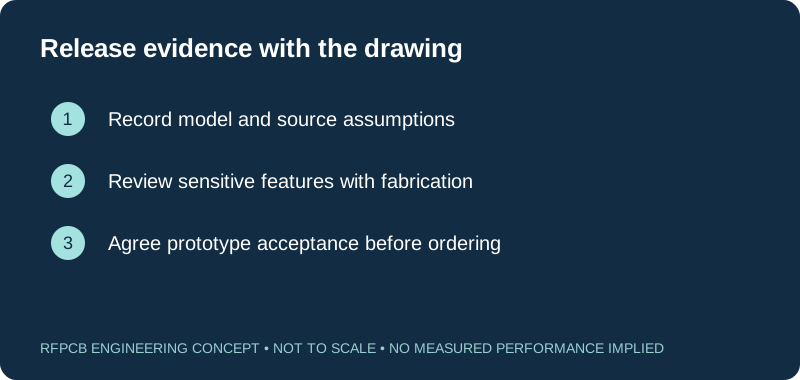
Resolve assembly and finish before release
Consult surface finish for RF and RF PCB assembly while the construction is still adjustable. Identify exposed RF copper, component attachment and any special mechanical interface. Include the finish and assembly assumptions in simulation or test planning where relevant. Late changes can affect more than procurement, so retain a clear approval record.
Close the loop with DFM and acceptance evidence
Complete the DFM review brief, then use the test-report guide to define evidence for the prototype. Submit the controlled package through project review. List unresolved assumptions rather than hiding them. Release the accepted construction, drawing revision and test scope together so repeat orders retain the same engineering basis.
Prepare a reviewable engineering request
Check only the requirements you have actually documented. This list records readiness; it does not inspect your files or certify a design. Missing information is useful: identify it explicitly so the engineering review can resolve it before a production release.
These inputs are processed in your browser and are not submitted by this tool. The downloaded summary is a plain-text planning record. Use the secure quote form to send files; request an NDA first if your project requires one.
Manufacturing context
RFPCB and PCBSync share the manufacturing facility shown below. These process photographs illustrate the production environment; they are not evidence that a particular board, material grade or RF performance has been qualified. Request the documentation and inspection scope applicable to your project.



Navigating RF PCB design
Where should a new RF design begin?
Start with circuit requirements and the sensitive paths. Choose the material, stackup and modeling approach against those requirements before treating the layout as fixed.
Is a calculator result enough for a controlled-impedance drawing?
No. Review the actual construction, allowed dimensions and acceptance method with the fabricator. The calculator applies only within its stated model.
Should every RF board use the same stackup?
No. The needed layer arrangement depends on circuit, routing, material, assembly and mechanical requirements. Use the library as a discussion aid.
When should I define prototype tests?
Before ordering. Decide what uncertainty the prototype must resolve, what structure represents it and which limits will support the next design decision.
Continue your engineering review
Connect the design model to the proposed build
Send the controlled files with sensitive features, material assumptions and expected evidence. Identify which decisions are fixed and which still need manufacturing input.
Sources and engineering scope
- RFPCB circuit-specific design guide
- RFPCB impedance calculator and model assumptions
- RFPCB educational stackup library
- RFPCB DFM readiness checklist
- RFPCB test-report interpretation and measurement scope
Manufacturer values apply to the identified grade, test method and construction. Engineering examples on this page are illustrative; they are not measured product results, inventory statements or certification claims. Manufacturer and product names belong to their respective owners. Keep the applicable datasheet revision with your approved manufacturing package.
Ready for a quotation?
Send your requirements for a material, stackup and manufacturing review. Price and schedule are confirmed for your project.