
Stackup directory · Define every important layer
RF PCB stackup planning connects material, copper, reference planes and interconnects. Use this directory to choose the relevant construction guide and prepare a layer-by-layer proposal. A nominal layer count or material name alone does not define the electrical environment of a sensitive route.
Begin with the required RF reference structure, then define each dielectric region, copper layer, bonding material and transition. Use the stackup library for concepts and the capability guides for construction-specific questions. Confirm pressed dimensions, material sourcing and manufacturing acceptance before releasing the stackup.
Choose a stackup review route
| Construction question | Destination | Information needed |
|---|---|---|
| How do layers fit together? | Stackup library | Dielectric and copper regions |
| Where can materials differ? | Hybrid stackup PCB | RF layers and support-layer functions |
| How do RF paths change layers? | Multilayer RF PCB | References and interconnect arrangement |
| What defines dense interconnects? | HDI RF PCB | Via structure and processing sequence |
| How is impedance accepted? | Controlled impedance | Geometry, tolerance and evidence |
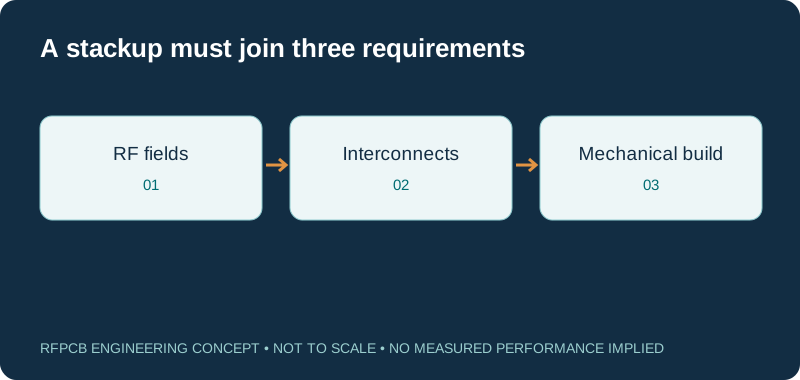
Start from the reference structure
Use the stackup library to sketch the signal layers, planes and dielectric regions. Mark the reference for each critical route before choosing a convenient layer count. The educational concepts help expose decisions, but the proposed board still needs a manufacturing review. Keep electrical intent and mechanical thickness requirements on the same drawing.
Define core and bonding regions separately
A core designation does not identify every region in a multilayer board. Record the proposed bonding material and pressed separation as well as the core thickness and copper. The multilayer RF guide provides the broader construction context. Ask the fabricator to identify provisional items so the electrical model can be updated before the build is approved.
Choose a hybrid build for an explicit reason
Follow hybrid stackup PCB when RF and support functions may use different materials. State which layers require the selected RF construction and what the other layers do. Compare the full proposal, including bonding and interconnects. A smaller allocation of RF material is only one commercial input and does not alone establish a better finished-board choice.
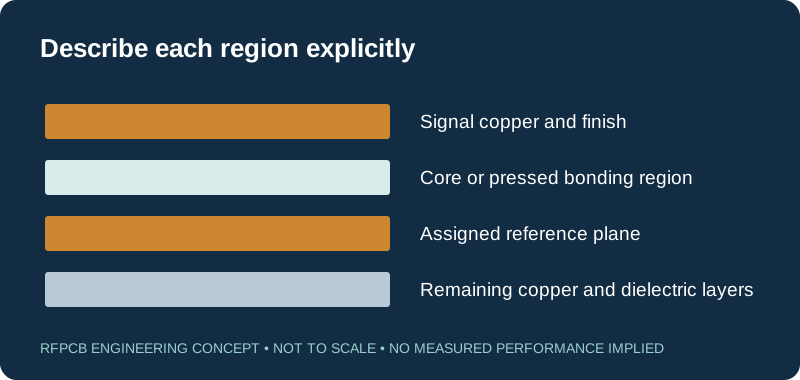
Connect impedance geometry to manufacturing inputs
Use controlled-impedance PCB to describe target geometry and acceptance. The relevant dielectric thickness is the region seen by the line, not automatically the total board thickness. Specify foil, finished copper and finish where they matter. Preserve the model assumptions so a proposed material or pressed-thickness change can be assessed against the same RF requirement.
Review via structures and processing sequence
Choose the HDI RF guide for microvia and dense interconnect questions, and cavity and back-drill review for the corresponding features. Show which layers a hole connects and any remaining stub or access requirement. A named technology does not define acceptable geometry; provide the actual construction and request a reviewed proposal.
Include thermal and mechanical constraints
A stackup also has to fit the assembly. Document connector engagement, mounting, flatness needs and the path for dissipated heat where relevant. The copper and thermal construction guide helps frame those questions. Keep them visible while layers are being selected, because an electrical change may also affect the physical arrangement or attachment details.
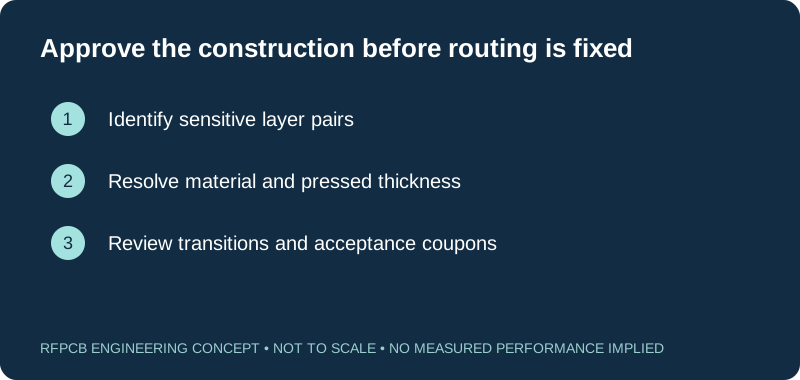
Select evidence that represents the layer pair
The test-report guide helps define coupons and measurement scope. Check that a proposed test structure represents the critical layer pair, copper and finish. A straight line may not represent a layer transition or compact resonator. Record which questions the sample answers and which remain for assembled-product testing or a separate qualification activity.
Release the layer drawing with change rules
Use the DFM checklist to identify missing details before requesting a construction review. Retain the approved material designations, thickness basis, copper and bonding proposal with the drawing revision. Define which changes require engineering approval. This prevents a later sourcing or processing proposal from silently replacing the stackup used for the original RF evidence.
Prepare a reviewable engineering request
Check only the requirements you have actually documented. This list records readiness; it does not inspect your files or certify a design. Missing information is useful: identify it explicitly so the engineering review can resolve it before a production release.
These inputs are processed in your browser and are not submitted by this tool. The downloaded summary is a plain-text planning record. Use the secure quote form to send files; request an NDA first if your project requires one.
Manufacturing context
RFPCB and PCBSync share the manufacturing facility shown below. These process photographs illustrate the production environment; they are not evidence that a particular board, material grade or RF performance has been qualified. Request the documentation and inspection scope applicable to your project.



RF stackup planning questions
Is a library stackup ready to manufacture?
The library provides educational concepts. Obtain a reviewed construction with exact materials, pressed dimensions, copper, holes and acceptance requirements for the actual board.
Can I specify only total board thickness?
That is not sufficient for sensitive RF structures. Identify the relevant dielectric regions, copper and references as well as the finished mechanical thickness.
Does a hybrid stackup always cost less?
No. Compare delivered proposals with equivalent quantity, construction and test scope. Bonding, processing, panel use and qualification can affect the result.
What should trigger another stackup review?
Changes to grade, foil, thickness, bonding, references or interconnects may affect the accepted design. Document the approval rules in the project package.
Continue your engineering review
Submit a complete layer-by-layer proposal
Send the stackup, hole schedule and RF reference requirements with the fabrication files. Mark provisional dimensions and material options so the review can resolve them explicitly.
Sources and engineering scope
- RFPCB educational stackup library
- RFPCB hybrid construction review guide
- RFPCB multilayer RF construction guide
- RFPCB DFM readiness checklist
- RFPCB test-report interpretation and measurement scope
Manufacturer values apply to the identified grade, test method and construction. Engineering examples on this page are illustrative; they are not measured product results, inventory statements or certification claims. Manufacturer and product names belong to their respective owners. Keep the applicable datasheet revision with your approved manufacturing package.
Ready for a quotation?
Send your requirements for a material, stackup and manufacturing review. Price and schedule are confirmed for your project.