
Frequency directory · Specify the actual range
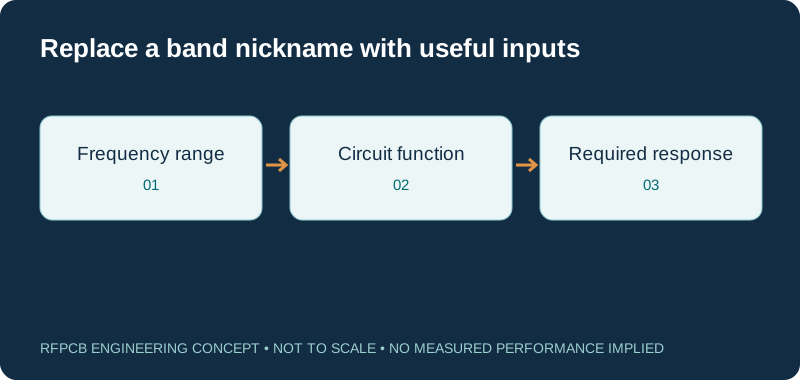
RF PCB frequency band resources help translate a frequency label into a useful engineering brief. Record the actual lower and upper operating frequencies, signal bandwidth and circuit function, then choose a relevant application or design resource. Band names alone do not define a material or manufacturing specification.
Choose resources using the real operating range and function, not a broad label such as RF, microwave or millimeter wave. Material data and models must be relevant to the construction and frequency of interest. This directory is a design-navigation aid, not a spectrum-allocation table or authorization to operate a radio.
Navigate by the stated operating context
| Context | Useful route | Information to specify |
|---|---|---|
| Connected radio or sensor | RFID, IoT and LoRa | Exact technology, configuration and band |
| Wireless infrastructure | Base-station PCB | Signal paths and actual frequency ranges |
| Millimeter-wave communications | 5G and millimeter-wave PCB | Band edges, geometry and phase limits |
| 77 GHz sensing | Automotive radar | Sensing architecture and usable bandwidth |
| Satellite link equipment | Satcom RF PCB | Uplink/downlink paths and installation |
Write band edges and bandwidth separately
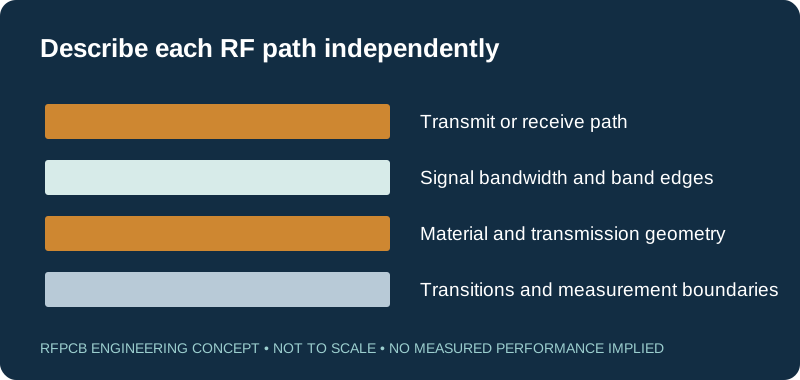
A center frequency and an occupied or swept bandwidth describe different aspects of a design. Record the actual lower and upper frequencies relevant to each path, including any separate transmit and receive sections. Use the RF design guide to connect those ranges to the required response. Make units explicit in every model and test request.
Choose the application without assuming its band
The connected-radio guide covers several technology contexts, while base-station PCB addresses infrastructure questions. Neither application name replaces a project frequency plan. Supply the exact radio configuration and relevant regional or customer requirements already established for the product. Keep engineering frequency inputs distinct from the product owner's authorization to transmit.
Use high-frequency guides for their construction questions
Open 5G and millimeter-wave PCB when its discussion of paths, transitions and phase is relevant. The 77 GHz radar guide serves a more specific sensing context. Read each tool's assumptions before applying an example to another band or architecture. A shared frequency neighborhood does not make the full circuits equivalent.
Preserve frequency labels in material comparisons
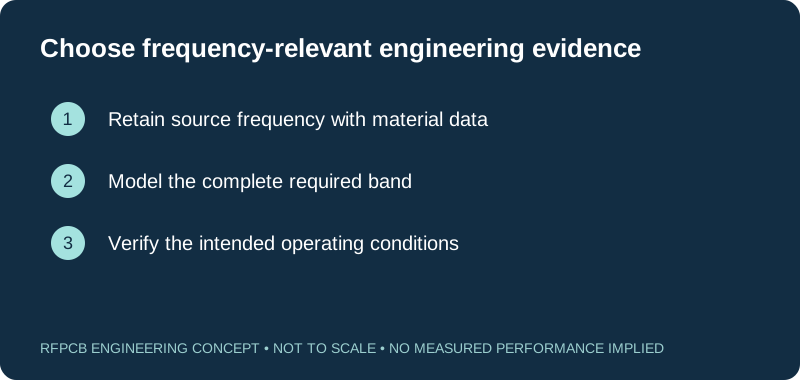
The Dk/Df table and material selection guide help organize references with their methods and frequencies. Do not relabel a lower-frequency measurement as a value at the operating band. Where the model requires additional data, identify that gap and obtain appropriate manufacturer guidance or representative evidence before relying on the comparison.
Use electrical-length tools with the right permittivity
Visit antenna PCB or high-frequency PCB for electrical-length context. A guided value depends on the modeled propagation environment, while free-space wavelength describes another condition. Check which quantity the tool requests. An ideal wavelength calculation helps assess scale; it does not produce a complete antenna, filter or transition design.
Allocate loss over the required range
Use the insertion-loss resource to organize frequency-labeled scenarios. A loss figure at one point may not describe a wideband requirement. Keep route data and transition allocations comparable, then use the appropriate model or measurement for the range that matters. The loss-reduction guide helps identify which physical contributions need attention.
Set measurement coverage before ordering
The test-report guide helps define sweep range, reference planes and reporting scope. Include enough conditions to answer the design requirement rather than selecting a convenient single frequency after measurement. For separate bands or operating modes, state which limits belong to each. Retain the measurement configuration so results can be compared with the corresponding model.
Submit a frequency-specific design brief
When requesting a project review, supply the actual operating ranges alongside material, stackup and critical geometry. Add the RF function, mechanical context and required evidence. For satellite equipment, the satcom guide supplies a relevant application route. Keep any regulatory or customer specifications explicit rather than asking the board supplier to infer them from a band nickname.
Prepare a reviewable engineering request
Check only the requirements you have actually documented. This list records readiness; it does not inspect your files or certify a design. Missing information is useful: identify it explicitly so the engineering review can resolve it before a production release.
These inputs are processed in your browser and are not submitted by this tool. The downloaded summary is a plain-text planning record. Use the secure quote form to send files; request an NDA first if your project requires one.
Manufacturing context
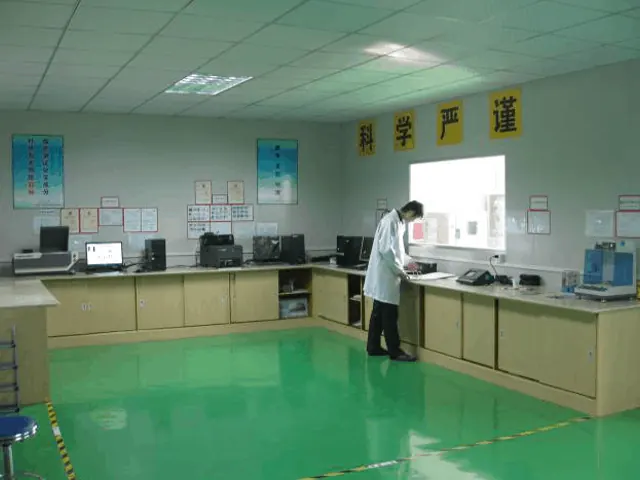
RFPCB and PCBSync share the manufacturing facility shown below. These process photographs illustrate the production environment; they are not evidence that a particular board, material grade or RF performance has been qualified. Request the documentation and inspection scope applicable to your project.


Frequency-navigation questions
Does this page list legal spectrum allocations?
No. It organizes engineering resources. Use the appropriate current authority and product requirements for spectrum and operating authorization.
Can a material value at one frequency be copied to another?
Do not silently change its frequency label. Identify the modeling need and obtain appropriate manufacturer data or measured evidence for the intended construction.
Is center frequency enough for a manufacturing review?
Provide the relevant band edges, bandwidth or operating modes and the required response. Different paths on the same board may need different scope.
Does a millimeter-wave label select the laminate automatically?
No. Select a named construction against geometry, loss, phase, processing and verification requirements for the actual circuit.
Continue your engineering review
Specify the range the board must support
Send actual band edges and the required behavior of each RF path. Pair those inputs with the proposed construction and test scope so the engineering discussion uses the right frequency context.
Sources and engineering scope
- RFPCB circuit-specific design guide
- RFPCB method- and frequency-labeled material comparison
- RFPCB 5G and millimeter-wave application guide
- RFPCB 77 GHz automotive radar application guide
- RFPCB test-report interpretation and measurement scope
Manufacturer values apply to the identified grade, test method and construction. Engineering examples on this page are illustrative; they are not measured product results, inventory statements or certification claims. Manufacturer and product names belong to their respective owners. Keep the applicable datasheet revision with your approved manufacturing package.
Ready for a quotation?
Send your requirements for a material, stackup and manufacturing review. Price and schedule are confirmed for your project.