
Tool directory · Choose the calculation
RF PCB engineering tools help turn a defined question into a transparent calculation. Choose the destination that matches your inputs and required output, then read its model limits. This directory organizes existing tools; the checklist below helps prepare a useful calculation record.
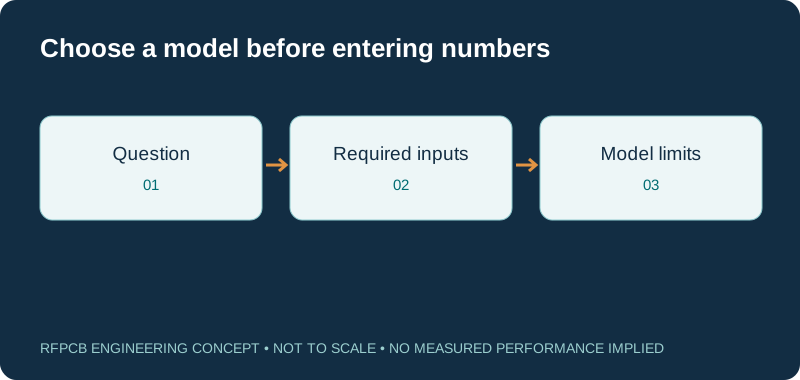
Start with the quantity you need: trace impedance, path loss, stackup thickness, electrical length or a cost scenario. Use the linked calculator with consistent units and construction-specific inputs. Treat its output as an engineering estimate within the stated model, then obtain the review or measurement needed for your design.
Choose a tool by the question you need to answer
| Question | Destination | Prepare first |
|---|---|---|
| What width fits the line model? | Impedance calculator | Geometry, dielectric spacing and model Dk |
| Where is the loss budget spent? | Insertion-loss calculator | Frequency, route length and comparable loss data |
| How thick is the proposed build? | Stackup library | Copper and dielectric regions |
| What does the order scenario cost? | Cost worksheet | Reviewed rates, quantity and panel assumptions |
| Which material data should I compare? | Dk/Df comparison | Exact grade, method and source revision |
Solve geometry with the impedance calculator
Use the impedance calculator when the immediate question concerns the supported transmission-line geometry. Check its assumptions before entering dielectric thickness and Dk. A width result from one model does not cover every line type, copper profile or surrounding structure. Keep the result beside the stackup and ask for a construction-specific review before releasing controlled features.
Separate distributed loss from discrete features
Choose the insertion-loss resource to organize attenuation assumptions and path allocations. Identify what each input includes: uniform line, connector, transition or another passive element. Use consistent frequencies and measurement boundaries. If a quoted result already includes launches, avoid adding the same contribution again in the budget. The destination explains the applicable calculation limits.
Explore stackup concepts before fixing thickness
The stackup library provides educational layer concepts and a thickness calculation. Use it to make the dielectric and copper regions visible while preparing a proposal. Nominal arithmetic does not predict final pressed dimensions or approve a bonding combination. Record the reference plane for each sensitive route and carry unresolved construction choices into the fabrication review.
Compare material references before using them
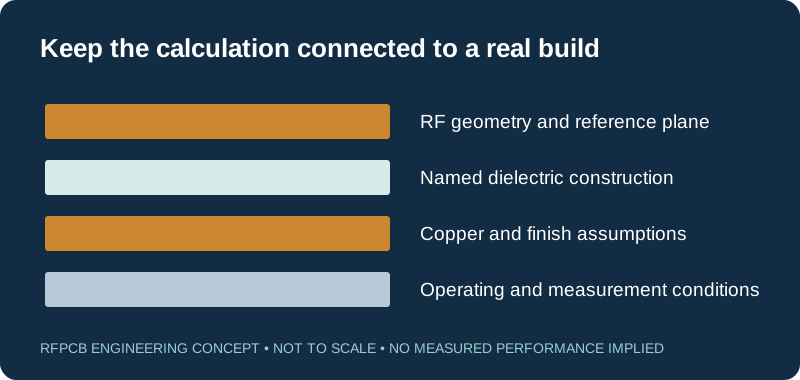
The Dk/Df table is a reference organizer rather than a complete simulation library. Retain the exact material designation, measurement method and frequency. For candidate screening, continue to the material cross-reference. Similar values can identify a comparison worth investigating; they do not authorize an equivalent-material note on the drawing.
Use application tools for a specific RF question
Some calculations live with the circuit context they need. The LNA guide includes a noise-budget tool, while the frequency-synthesizer guide discusses integrated phase noise and jitter. Open the application guide when the question concerns those functions. Read the input definitions carefully instead of reusing a familiar number with a different meaning.
Keep commercial scenarios tied to quotations
The RF PCB cost worksheet combines entered commercial assumptions. Replace illustrative defaults with comparable confirmed rates before using the result for a purchasing decision. Quantity, panel use, setup and testing belong in the scenario. For a proposed material change, the alternative-material guide adds qualification effort to the comparison.
Save enough context to reproduce the result
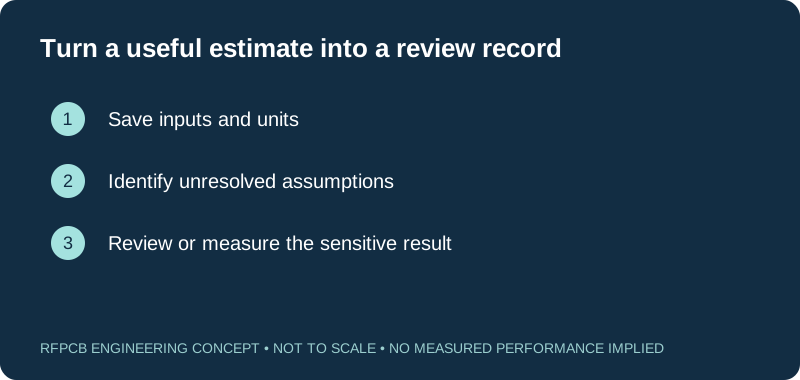
Keep the input units, model assumptions, source revision and board revision with a useful output. Identify which values came from a datasheet, a simulation, a measurement or a quotation. Recalculate when the relevant construction changes. A screenshot showing only the final number is difficult to review and can lose the conditions that made the result meaningful.
Choose the next action after calculating
Use the DFM checklist when an estimate is ready to become a manufacturing requirement. If the question is whether a fabricated board meets that requirement, visit the test-report guide. Submit the relevant files through project review with the calculation assumptions and the decision you need help resolving.
Prepare a reviewable engineering request
Check only the requirements you have actually documented. This list records readiness; it does not inspect your files or certify a design. Missing information is useful: identify it explicitly so the engineering review can resolve it before a production release.
These inputs are processed in your browser and are not submitted by this tool. The downloaded summary is a plain-text planning record. Use the secure quote form to send files; request an NDA first if your project requires one.
Manufacturing context
RFPCB and PCBSync share the manufacturing facility shown below. These process photographs illustrate the production environment; they are not evidence that a particular board, material grade or RF performance has been qualified. Request the documentation and inspection scope applicable to your project.



Using the RF PCB tools
Are the calculators production approvals?
No. Each tool estimates within its stated model. Manufacturing feasibility and product acceptance require the appropriate construction review and evidence.
Can I enter process Dk into every calculator?
Check the tool definition. Some tools require effective permittivity for a transmission structure, which is not automatically the published process value.
Where are the tools for antennas and amplifiers?
Application-specific tools are embedded in the relevant application guides. Follow the antenna, LNA, power-amplifier or synthesizer destination for its context and limits.
Can the checklist send my files for review?
The checklist records readiness and can create a planning summary. Use the project quote form to submit the actual design files and requirements.
Continue your engineering review
Bring the calculation and its assumptions
Share the board revision, relevant inputs and the question that remains open. A useful engineering request explains what the calculation suggests and what the proposed build still needs to demonstrate.
Sources and engineering scope
- RFPCB engineering resources and existing tool destinations
- RFPCB impedance calculator and model assumptions
- RFPCB insertion-loss calculation scope
- RFPCB educational stackup library
- RFPCB cost worksheet and commercial assumptions
Manufacturer values apply to the identified grade, test method and construction. Engineering examples on this page are illustrative; they are not measured product results, inventory statements or certification claims. Manufacturer and product names belong to their respective owners. Keep the applicable datasheet revision with your approved manufacturing package.
In this section
Antenna Gain Calculator | Beamwidth & Aperture to dBi
View pageBroadside Coupled Calculator: Design Guide
View pageConductor Loss Calculator | Skin Effect & Resistance
View pageCoplanar Waveguide Calculator | CPW Impedance Tool
View pageCopper Roughness Loss Calculator | Huray & Hammerstad
View pageCoupled Line Calculator | Coupling & Isolation
View pageDielectric Loss Calculator | Df Contribution to Loss
View pageDifferential Microstrip Calculator | Edge-Coupled Pairs
View pageDifferential Stripline Calculator | Broadside Coupled
View pageDipole Antenna Calculator & Design Guide
View pageFriis Link Budget Calculator | Range & Path Loss
View pageGCPW Calculator | Grounded Coplanar Waveguide Tool
View pageHelical Antenna Calculator | Axial Mode Design
View pageHorn Antenna Calculator | Gain, Aperture & Flare
View pageIFA Antenna Calculator | PCB Trace Design Tool
View pageImpedance Matching Calculator | L C and Pi Networks
View pageInsertion Loss Calculator for PCB Traces
View pageMicrostrip Impedance Calculator | Real Laminate Presets
View pageMonopole Antenna Calculator | Quarter-Wave Sizing
View pagePatch Antenna Calculator | Rectangular Microstrip Sizing
View pagePatch Array Calculator | Spacing, Gain & Layout
View pagePCB Crosstalk Calculator | NEXT & FEXT Estimation
View pagePIFA Calculator | Planar Inverted-F Antenna Sizing
View pagePropagation Delay Calculator | ps per Inch by Dk
View pageQuarter Wave Transformer Calculator & Design Guide
View pageRadar Range Calculator | Max Detection Range
View pageSIW Calculator: Cutoff, Width & Via Pitch
View pageSkin Depth Calculator | Copper at Any Frequency
View pageSlot Antenna Calculator | Resonant Slot Dimensions
View pageSlotline Calculator | Impedance & Wavelength Tool
View pageStripline Impedance Calculator | Symmetric & Offset
View pageSuspended Substrate Calculator | Low-Loss Design
View pageVSWR Calculator | Return Loss & S11 Converter
View pageWavelength Calculator for RF PCB Design
View pageYagi Antenna Calculator | Element Length & Spacing
View pageReady for a quotation?
Send your requirements for a material, stackup and manufacturing review. Price and schedule are confirmed for your project.