
Radar directory · Match the subsystem to its guide
Radar PCB resources organize the board questions behind a sensing system: antennas, RF paths, frequency generation, stackup and validation. Start with the relevant subsystem and its actual operating band. This directory provides navigation and planning context, not a complete radar design or product qualification.
Use the 77 GHz automotive radar guide for that specific application, then select supporting antenna, array, receiver or synthesizer resources. Define the waveform and architecture inputs your engineering team needs, alongside mechanical and environmental constraints. Keep ideal calculator outputs separate from measured radar performance.
Choose the radar subsystem review
| Subsystem or question | Resource | Required context |
|---|---|---|
| 77 GHz automotive board | Automotive radar PCB | Actual band and product validation scope |
| Radiator and feed | Antenna PCB | Antenna geometry and installation |
| Coordinated elements | Phased-array PCB | Element arrangement and feed requirements |
| Frequency generation | Frequency synthesizer PCB | Reference, PLL and noise requirements |
| Receive path | LNA PCB | Input losses and noise-budget boundaries |
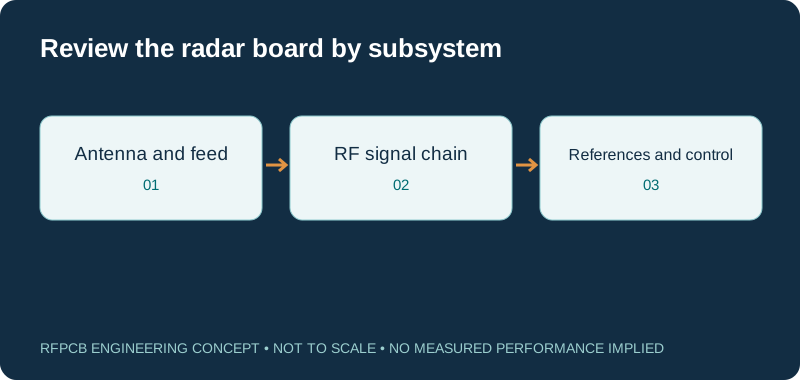
Use the 77 GHz guide for its specific context
The automotive radar PCB guide is the primary route for that operating context. It includes an ideal bandwidth-to-range-resolution example with defined limits. Do not generalize the result to detection distance or complete system capability. Supply actual band edges, interfaces and customer requirements when asking for a board construction review.
Define the antenna and feed arrangement
Follow antenna PCB for the radiating structures and feed network. Document nearby materials, mounting and the surrounding mechanical arrangement. Identify which dimensions are sensitive and whether tuning changes are allowed. The laminate and board geometry form part of the installed system, so an isolated material comparison cannot establish the final radar response.
Bring array-specific questions to the array guide
Use phased-array PCB when multiple elements and coordinated feed behavior are relevant. State the actual arrangement and required operation instead of transferring an ideal uniform-array result to another architecture. Keep the feed construction, path assumptions and mechanical references together so the engineering review can identify the structures needing further modeling or measurement.
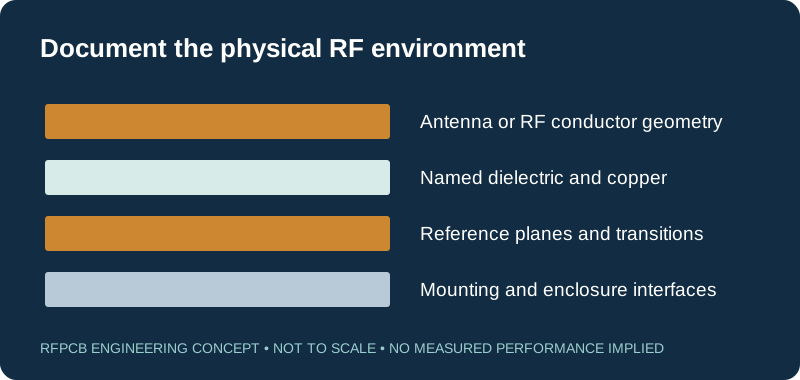
Review frequency generation as its own subsystem
The frequency-synthesizer guide provides a route for PLL layout and phase-noise questions. Supply the reference source, frequency plan and relevant noise requirement as part of the circuit brief. Its jitter tool expects defined integrated input data. A single noise-spectrum point or an unrelated clock figure should not be reused without checking the tool's meaning.
Organize receive-path loss and noise
Open LNA PCB for the noise-budget discussion and RF PCB loss for transmission-path contributions. Identify where the receive-chain boundary begins and which passive elements are included. Keep the model assumptions visible. These tools help review subsystem budgets; they do not establish radar sensitivity or detection performance on their own.
Connect stackup decisions to the sensitive path
Use multilayer RF PCB and hybrid stackup PCB to describe reference planes, bonding and layer transitions. Mark the RF layers and the support functions separately. Retain exact grade, copper and dielectric spacing in the model. A proposed sourcing or bonding change should be assessed against the same controlled construction.
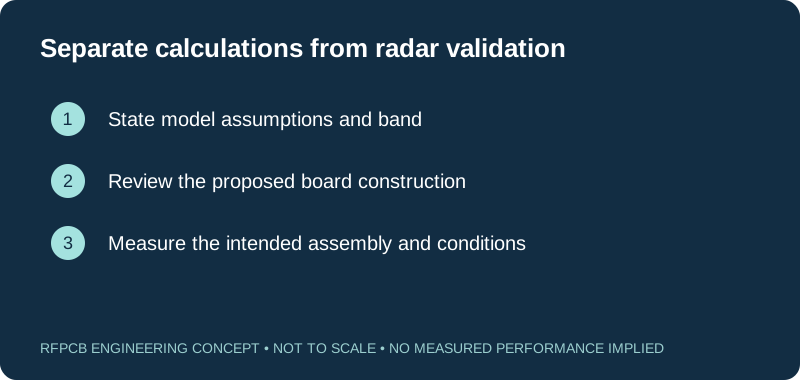
Plan measurements at useful boundaries
The test and measurement guide helps define launches and fixtures, while the report guide organizes evidence. Decide which tests address the bare board and which require the populated or installed product. Agree frequency, setup and limits before ordering so prototype results can support a specific engineering decision.
Prepare a radar construction enquiry
Send the controlled fabrication package, operating band, subsystem purpose and required reports through project review. Include mechanical and environmental constraints relevant to the board, and identify the product validation responsibilities retained by your team. The directory does not imply automotive certification or qualified sensing performance. Request the exact manufacturing and evidence scope needed for your application.
Prepare a reviewable engineering request
Check only the requirements you have actually documented. This list records readiness; it does not inspect your files or certify a design. Missing information is useful: identify it explicitly so the engineering review can resolve it before a production release.
These inputs are processed in your browser and are not submitted by this tool. The downloaded summary is a plain-text planning record. Use the secure quote form to send files; request an NDA first if your project requires one.
Manufacturing context
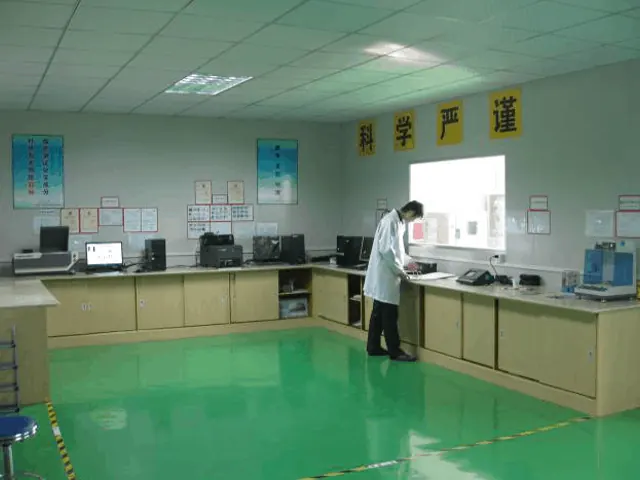
RFPCB and PCBSync share the manufacturing facility shown below. These process photographs illustrate the production environment; they are not evidence that a particular board, material grade or RF performance has been qualified. Request the documentation and inspection scope applicable to your project.


Radar PCB resource questions
Does the radar directory cover every radar frequency?
No. It points to the specific 77 GHz guide and supporting functional resources. State the actual band and architecture for any other project.
Does ideal range resolution predict detection distance?
No. The ideal calculation addresses a defined resolution model. Detection performance depends on the complete system and operating conditions.
Does a radar application page establish automotive approval?
No. Confirm the required facility documentation and customer-specific qualification separately. Board guidance does not establish approval of a finished automotive product.
Which files should accompany a radar review?
Provide fabrication and stackup files, critical RF geometry, subsystem purpose, band, mechanical context and the agreed evidence requirements.
Continue your engineering review
Define the radar board and its validation boundaries
Share the subsystem requirements and proposed construction. Separate fabrication evidence from assembled-product validation so the review can address a clear, measurable scope.
Sources and engineering scope
- RFPCB 77 GHz automotive radar application guide
- RFPCB phased-array guide and ideal-tool assumptions
- RFPCB frequency-synthesizer and phase-noise guide
- RFPCB low-noise-amplifier construction and noise-budget guide
- RFPCB test-report interpretation and measurement scope
Manufacturer values apply to the identified grade, test method and construction. Engineering examples on this page are illustrative; they are not measured product results, inventory statements or certification claims. Manufacturer and product names belong to their respective owners. Keep the applicable datasheet revision with your approved manufacturing package.
Ready for a quotation?
Send your requirements for a material, stackup and manufacturing review. Price and schedule are confirmed for your project.