

What Is a Zigbee PCB and Why Does the Layout Matter?
A Zigbee PCB is a printed circuit board carrying a 2.4 GHz IEEE 802.15.4 radio—typically a system-on-chip (SoC) such as the Silicon Labs EFR32MG21 or the Texas Instruments CC2652R—plus its antenna, matching network, crystal, decoupling and digital I/O. Because Zigbee operates in the 2.400–2.4835 GHz ISM band with only 0–20 dBm transmit power and −100 dBm receiver sensitivity, every tenth of a dB lost to layout parasitics or impedance mismatch directly cuts link budget and mesh reliability. The same 802.15.4 physical layer also carries Thread and Matter traffic, so a well-designed Zigbee PCB is simultaneously a Thread/Matter-ready board.
Zigbee, Thread and Matter: One PHY, Three Protocols
All three protocols share the same 2.4 GHz 802.15.4 radio, which means the RF front-end, antenna and matching network are identical regardless of which network stack runs on the SoC. Zigbee uses a mesh topology with coordinator/router/end-device roles; Thread replaces the coordinator with a border router and adds IPv6 natively; Matter sits on top of either Thread or Wi-Fi to unify smart-home ecosystems. From the PCB designer’s perspective the differences are firmware, not copper. One board, one layout, three protocol options.
Key Radio Parameters at 2.4 GHz
| Parameter | Typical Value | Design Impact |
|---|---|---|
| Frequency band | 2.400–2.4835 GHz | 16 channels, 5 MHz spacing |
| Modulation | O-QPSK with DSSS | 250 kbps data rate |
| Max TX power | +20 dBm (SoC dependent) | Sets PA current budget |
| Receiver sensitivity | −100 dBm typical | Drives noise-floor requirements |
| Channel bandwidth | 2 MHz (occupied) | Relaxed filter selectivity vs Wi-Fi |
| Free-space λ | ≈ 125 mm (4.92 in) | Quarter-wave ≈ 31 mm; sets antenna size |
Stackup and Material Selection
At 2.4 GHz, standard FR-4 (Dk ≈ 4.3–4.5, Df ≈ 0.020 at 2.4 GHz) is entirely adequate for Zigbee PCBs. The dielectric loss over a 15 mm trace is under 0.15 dB—negligible compared with connector or mismatch losses. Reserve low-loss laminates like Rogers RO4350B for designs above 10 GHz; for Zigbee the cost is unjustified.
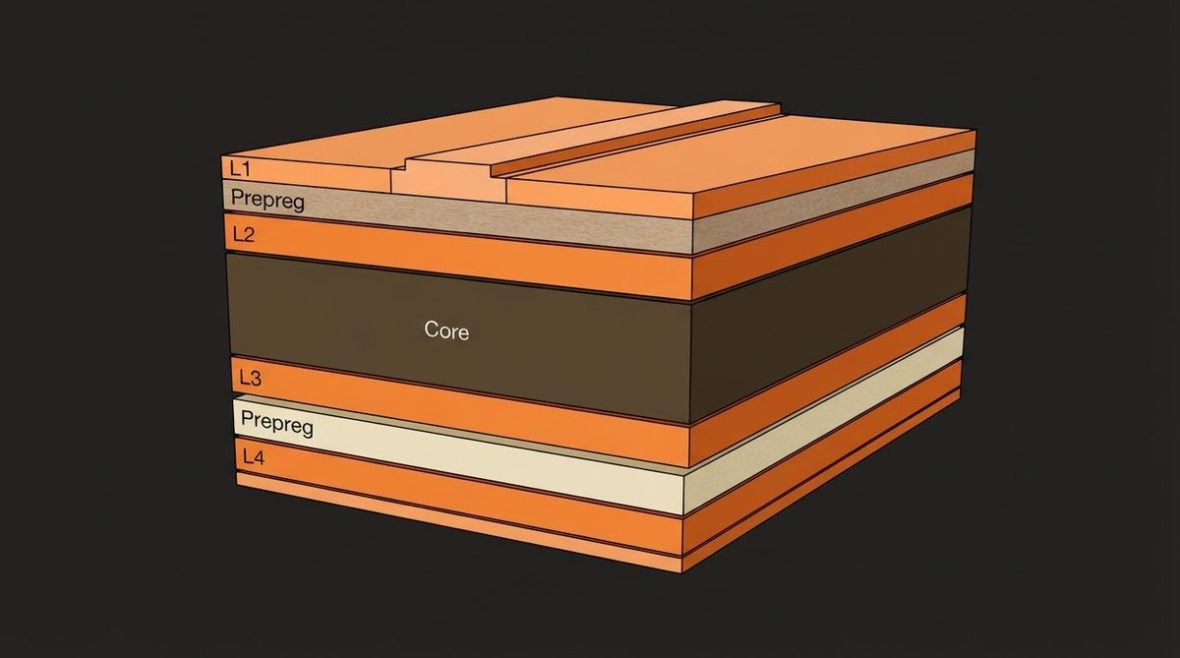
Recommended 4-Layer Stackup
| Layer | Function | Typical Thickness |
|---|---|---|
| L1 (Top) | RF traces, antenna, components | 1 oz Cu (35 µm) |
| L2 | Continuous ground plane | 1 oz Cu |
| Core | FR-4 dielectric | 0.20 mm (8 mil) |
| Prepreg | FR-4 dielectric | 0.36 mm (14 mil) |
| L3 | Power / routing | 1 oz Cu |
| L4 (Bottom) | Ground / low-speed signals | 1 oz Cu |
The critical dimension is the L1-to-L2 dielectric height. With a core of 0.20 mm (8 mil) and FR-4 Dk of 4.4, a 50 Ω microstrip is approximately 0.36 mm (14.2 mil) wide—comfortable for standard PCB fabrication tolerances of ±0.05 mm. Keep the ground plane on L2 unbroken beneath every RF trace and the antenna feed; any slot or split forces return current to detour, creating a radiating loop that degrades both emissions and sensitivity.
For cost-sensitive consumer IoT, a 2-layer board is feasible if the bottom layer is a near-complete ground pour and vias stitch it at ≤ λ/20 spacing (≈ 6 mm). The trade-off is less predictable impedance control and higher EMI risk, so prototype validation with a VNA is strongly recommended. Boards designed for higher-frequency cellular IoT modules such as NB-IoT LTE-M designs face similar ground-integrity challenges at even tighter tolerances.
RF Layout: From SoC to Antenna
Impedance-Controlled Trace Routing
Route the RF output of the SoC to the antenna (or U.FL connector) as a 50 Ω microstrip. Keep the trace as short as possible—under 15 mm is a good target. Avoid 90° bends; use 45° mitred corners or smooth arcs, which reduce discontinuity reflections by roughly 10 dB at 2.4 GHz compared with right-angle bends. Place no other traces, vias or component pads within 3× the trace width on either side of the RF line to limit coupling.
Matching Network
Most 2.4 GHz SoCs specify a simple π or L matching network between the RF pin and the antenna. Silicon Labs’ EFR32MG21, for example, calls for a series inductor (2.7 nH, 0402) and two shunt capacitors (1.0 pF, 0402) to transform the SoC’s internal impedance to 50 Ω. Use 0402 or 0201 packages; larger bodies add parasitic inductance that shifts the match. Place these components within 2 mm of the RF pin, with their ground pads connected to the L2 plane through multiple vias (≥ 3 vias per pad).
Verify the match on a vector network analyzer after board assembly. Target S11 ≤ −10 dB (VSWR ≤ 1.93) across 2.40–2.48 GHz. A −15 dB return loss is achievable with careful layout and means less than 1 % of power is reflected—adequate for Zigbee’s modest link budget.
Crystal and Decoupling
The 38.4 MHz or 32 MHz crystal (depending on the SoC) sets the frequency accuracy of the 802.15.4 radio. Place it within 3 mm of the SoC’s XTAL pins with short, symmetrical traces. Guard-ring the crystal footprint with ground to prevent coupling from switching noise. Decoupling capacitors (100 nF + 10 nF + 100 pF per VDD pin, in descending value from board edge to pin) should sit on the same side as the SoC and connect to the ground plane through dedicated vias—not shared with the RF return path.
Antenna Options for Zigbee PCBs
| Antenna Type | Size (typical) | Peak Gain | Best For |
|---|---|---|---|
| PCB trace antenna (IFA / meander) | 15–30 mm length | 1–2 dBi | Lowest cost, single-board integration |
| Chip antenna (e.g., Johanson 2450AT18) | 3.2 × 1.6 mm | 0–1 dBi | Compact modules, tight enclosures |
| Ceramic patch | 10 × 10 mm | 2–4 dBi | Ceiling-mount sensors, needs ground plane |
| External whip / SMA | 31 mm whip | 2–3 dBi | Gateways, border routers, max range |
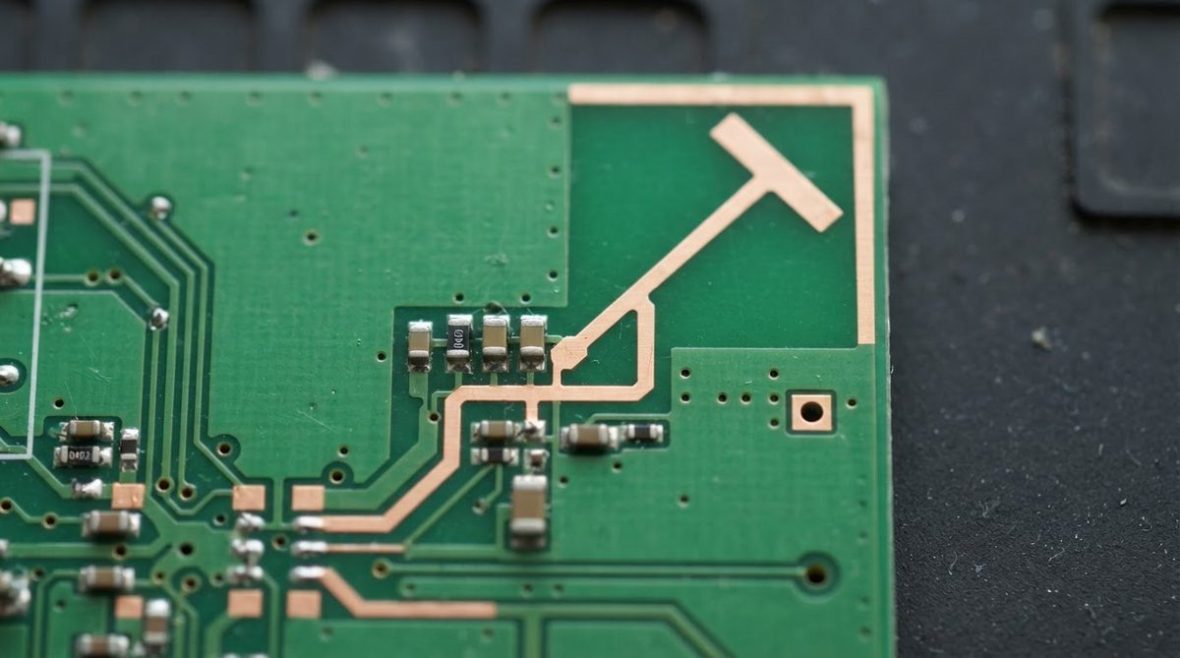
For most Zigbee end devices, a PCB trace inverted-F antenna (IFA) offers the best cost-to-performance ratio. The antenna requires a ground-plane keep-out zone beneath and beside it—typically 10 × 25 mm clear of copper on all layers. Violating this keep-out shifts the resonant frequency and degrades efficiency by 2–4 dB, which can halve the communication range. The TI Antenna Designer tool provides validated reference layouts for common SoCs and is a useful starting point.
Chip antennas save board space but are more sensitive to nearby plastic housings and metal. Always follow the manufacturer’s recommended ground clearance and re-tune the matching network after the product is in its final enclosure.
Power Supply and Current Profiling
Zigbee end devices spend most of their time sleeping (< 1 µA) and wake briefly to transmit (peak 8–12 mA at 0 dBm, or 30–120 mA at +20 dBm depending on the SoC and PA). The PCB must handle this pulsed current without drooping the 3.3 V or 1.8 V rail below the SoC's minimum operating voltage. Place a 10 µF ceramic capacitor (X5R, 0805) within 5 mm of the SoC's VDD pin to act as a local energy reservoir. For battery-powered nodes running on a CR2032 coin cell (internal resistance ≈ 10–30 Ω), the voltage droop during a 10 mA TX burst can reach 100–300 mV—size the bulk capacitance accordingly or limit TX power.
Thread border routers and Zigbee coordinators are always on and typically mains-powered, so thermal management of the voltage regulator matters more than sleep current. A low-noise LDO (PSRR > 60 dB at 2.4 GHz) is preferred over a switching converter to avoid injecting spurs into the receiver band. If a switcher is unavoidable, choose a switching frequency above 3 MHz and add a ferrite bead plus LC filter on the SoC’s supply rail.
Coexistence with Wi-Fi and Bluetooth
Zigbee, Wi-Fi and Bluetooth all occupy the 2.4 GHz ISM band. On a gateway board carrying both a Wi-Fi module and a Zigbee SoC, physical separation of at least 15–20 mm between the two antennas is the first line of defense. Orient the antennas with orthogonal polarisation if possible (one horizontal IFA, one vertical whip) to add 10–15 dB of isolation. Use a ground-plane slot or row of stitching vias between the two RF sections to block surface-current coupling.
At the protocol level, Zigbee channels 15, 20, 25 and 26 fall in the gaps between Wi-Fi channels 1, 6 and 11. Choosing one of these Zigbee channels during network commissioning avoids the worst co-channel interference. This is a firmware decision, but the PCB designer should note it in the design-for-test documentation so that production test scripts configure the correct channel.
Similar coexistence concerns arise in other IoT RF boards. Designs integrating cellular and short-range radios, such as NB-IoT cellular IoT boards, must also manage inter-radio isolation carefully. Even vehicular communication boards like V2X antenna PCBs at 5.9 GHz face analogous multi-radio layout challenges.
EMC and Regulatory Compliance
Zigbee products must pass FCC Part 15.247 (US), ETSI EN 300 328 (EU) and similar regional regulations. The conducted and radiated emission limits at 2.4 GHz are generous for intentional radiators, but harmonics at 4.8 GHz and 7.2 GHz often cause failures. A low-pass filter (simple 3-element LC, cutoff ≈ 2.6 GHz) between the matching network and the antenna suppresses the second and third harmonics by 20–30 dB and is cheap insurance.
Unintentional radiation from clock lines, switching regulators and digital buses can also couple into the antenna. Route all high-speed digital signals on inner layers sandwiched between ground planes, and keep them physically distant from the RF section. A solid ground pour on L1 around (but not under) the antenna further contains stray fields.
Design-for-Manufacturing Checklist
- Specify controlled impedance (50 Ω ± 10 %) on the fabrication drawing with the exact stackup and Dk value used in simulation.
- Add a 50 Ω test coupon to the panel for TDR verification at incoming inspection.
- Include a U.FL or IPEX MHF4 footprint on the RF path (populated with a 0 Ω jumper in production) so conducted power and S11 can be measured without disturbing the antenna.
- Mark the antenna keep-out zone on the silkscreen and in the assembly drawing to prevent conformal coating or adhesive from covering the radiator.
- Use ENIG or immersion silver finish on the antenna trace—HASL thickness variation can shift resonance by 20–50 MHz.
- Define pick-and-place orientation for 0402/0201 matching components to avoid tombstoning during reflow.
Frequently Asked Questions
Can I use a 2-layer PCB for a Zigbee design?
Yes, many low-cost Zigbee sensors ship on 2-layer FR-4. The bottom layer should be an unbroken ground pour beneath the RF trace and SoC, stitched with vias every 5–6 mm. Impedance control is less precise than on a 4-layer board, so verify with a VNA and be prepared to adjust the matching network.
Is FR-4 good enough at 2.4 GHz?
Standard FR-4 with Dk ≈ 4.4 and Df ≈ 0.020 adds roughly 0.1 dB of dielectric loss over a 15 mm microstrip at 2.4 GHz. This is negligible for Zigbee. Low-loss laminates are unnecessary unless you are combining Zigbee with a millimetre-wave radio on the same board.
How do I make the same board work for Zigbee, Thread and Matter?
Choose a multi-protocol SoC (e.g., EFR32MG24, CC2652R7) and design the RF front-end for 802.15.4 at 2.4 GHz. The hardware is identical; protocol selection happens in firmware. Ensure sufficient flash (≥ 1 MB recommended for Matter) and expose a JTAG/SWD header for firmware updates.
What is the typical range of a Zigbee PCB with a trace antenna?
With a 0 dBm TX power, a well-matched IFA (1.5 dBi gain) and −100 dBm receiver sensitivity, the line-of-sight link budget is about 100 dB, giving roughly 30–50 m indoors through one or two walls. Increasing TX to +10 dBm or adding an external antenna extends this to 80–120 m indoors, though mesh routing often matters more than raw range.
Do I need shielding on a Zigbee module?
Shielding is not required for most standalone Zigbee boards. It becomes important when the Zigbee radio shares a PCB with a noisy digital subsystem (e.g., an application processor with DDR memory) or a Wi-Fi transmitter. A stamped-metal shield over the SoC and matching network, grounded to the L2 plane on all four edges, typically adds 30–40 dB of isolation.
Ready for a quotation?
Send your requirements for a material, stackup and manufacturing review. Price and schedule are confirmed for your project.